Your Agent,
Always at Hand
Open positions, check charts, forward signals from channels — all from your phone in plain text. No exchange tab, no manual math, zero errors.
With Quantilan: you type "long btc". That's it.
/start — full agent status in one tap
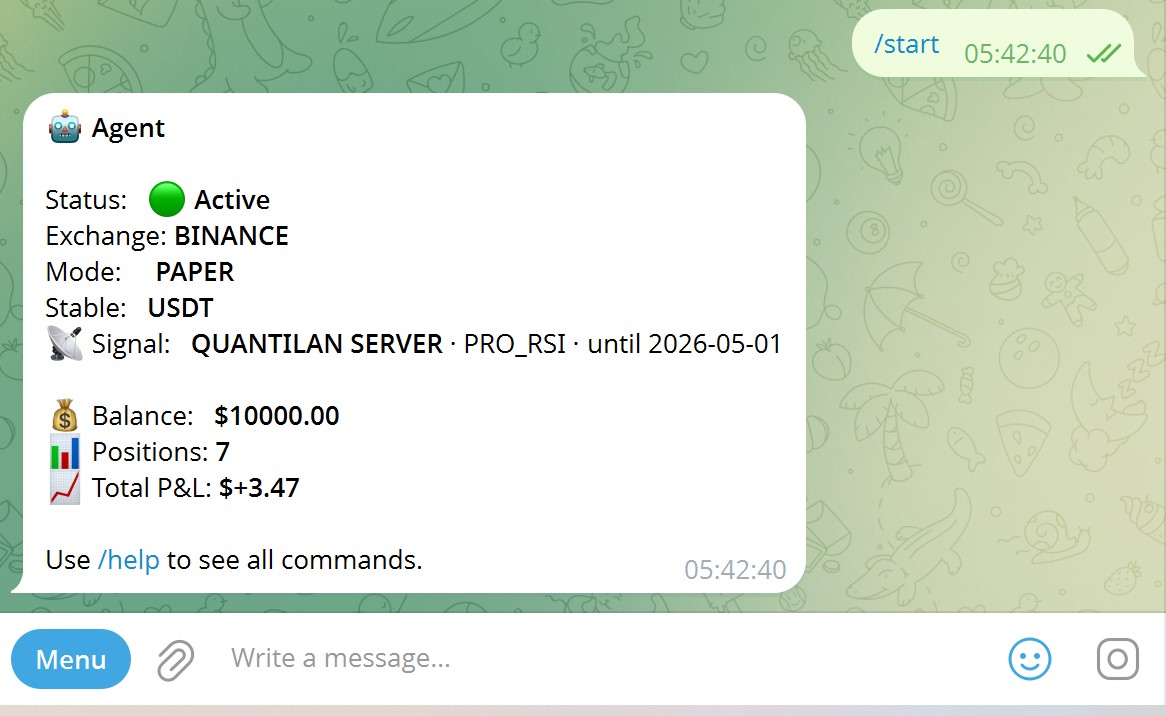
Type /start to see everything at a glance: agent status, exchange, mode, balance, open positions, and total P&L.
- Green dot = agent is active and monitoring
- Signal source and strategy shown clearly
- Works the same on mobile and desktop Telegram
All commands — slash and plain text
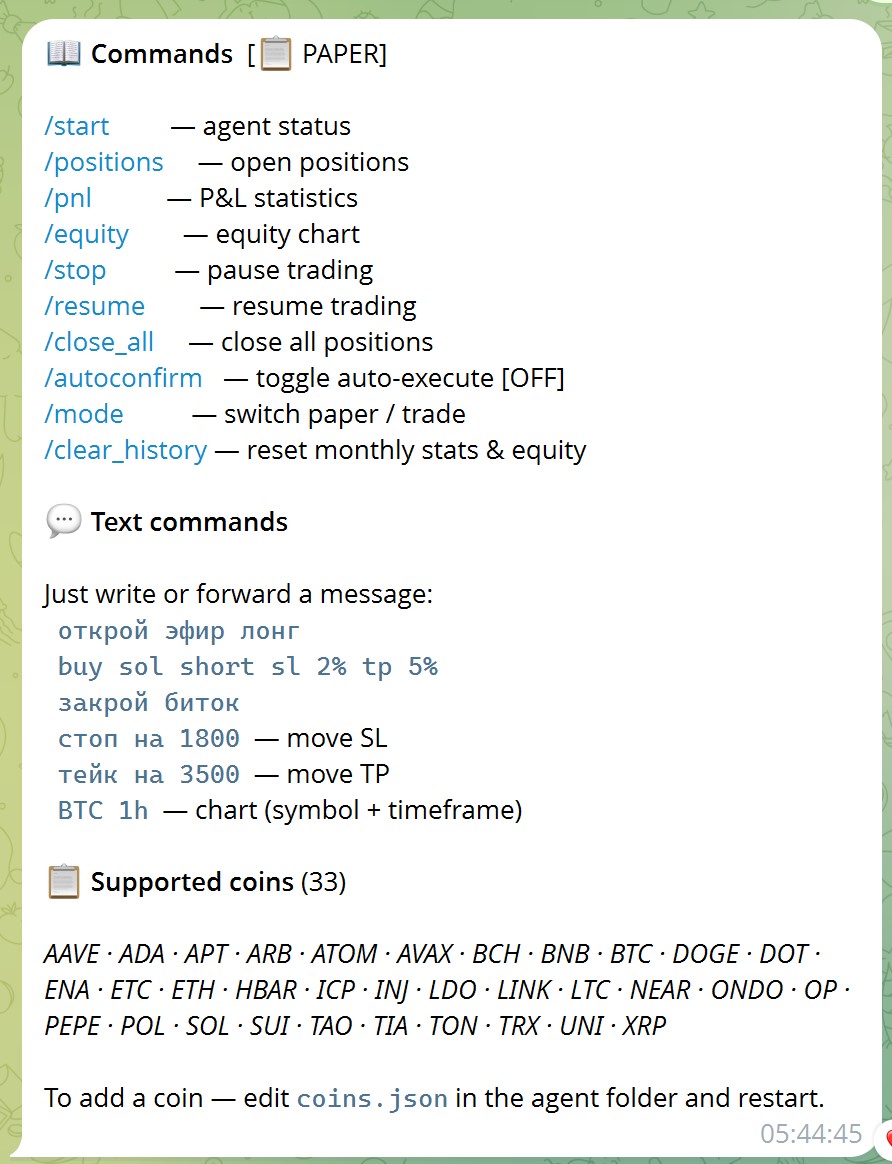
The agent understands both slash commands and natural language. You can type in English or Russian — the parser handles both.
/positions— open positions/pnl— P&L statistics/equity— equity chartlong eth sl 2% tp 5%— open a tradeclose btc— close a positionbtc 1h— get chart, symbol + timeframe
/positions — live portfolio snapshot
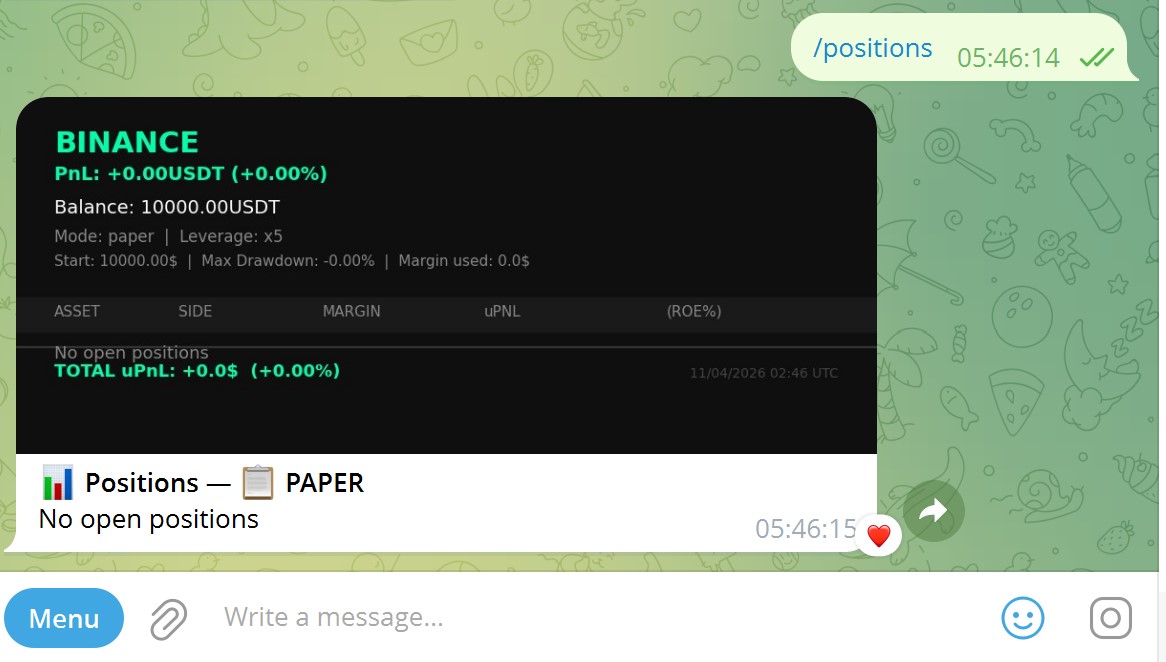
A formatted table straight from the exchange: balance, leverage, max drawdown, margin used, and each open position with unrealized P&L.
Type a ticker — get a chart instantly
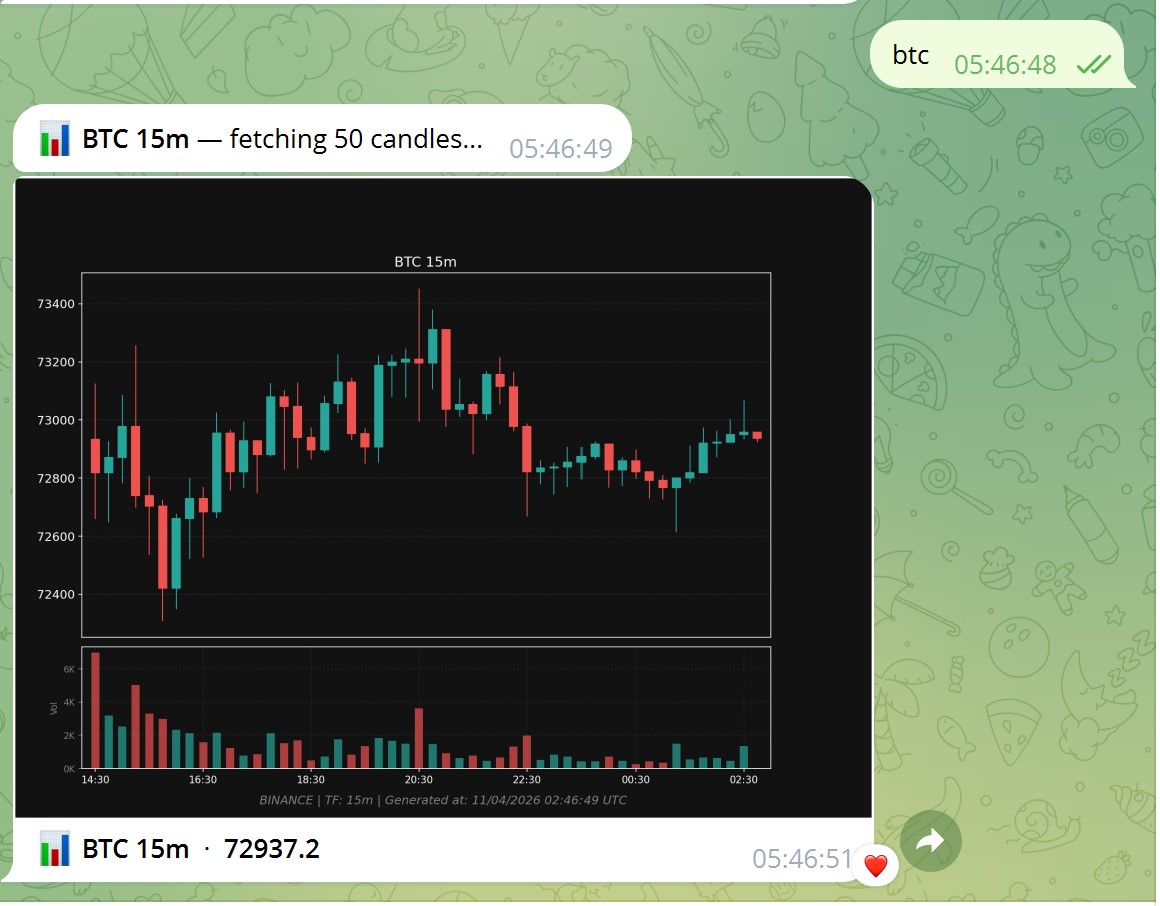
Just type btc or eth 1h. The agent fetches 50 candles and sends you the chart — no need to open TradingView.
If you have a position open, entry price, SL and TP lines are drawn on the chart automatically.
"long btc" — parsed, confirmed, executed
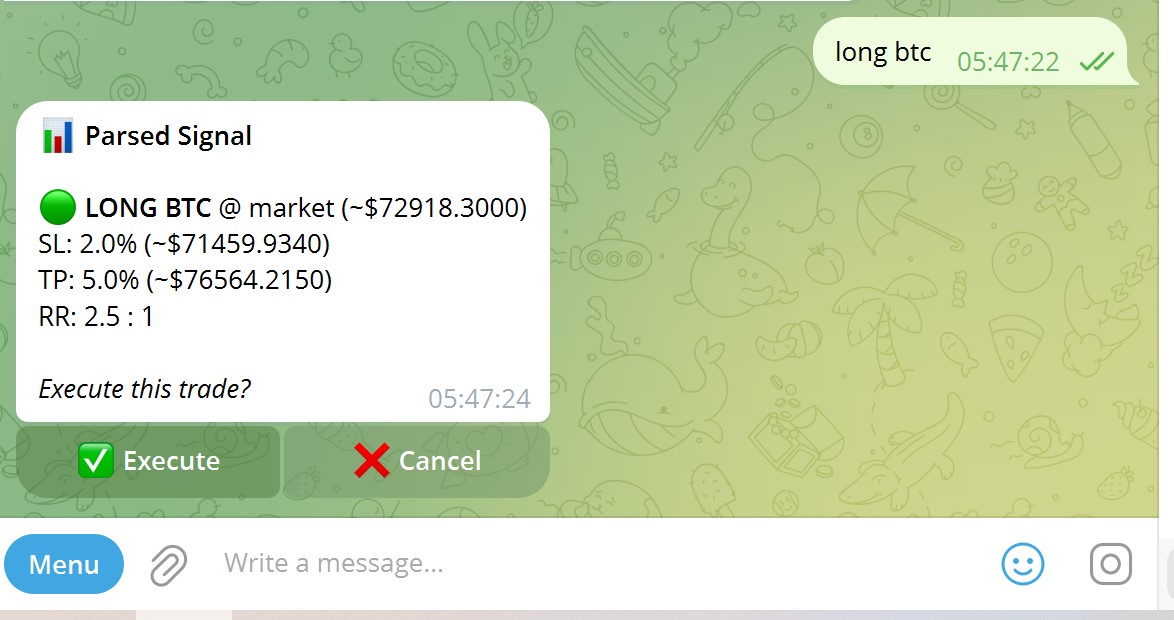
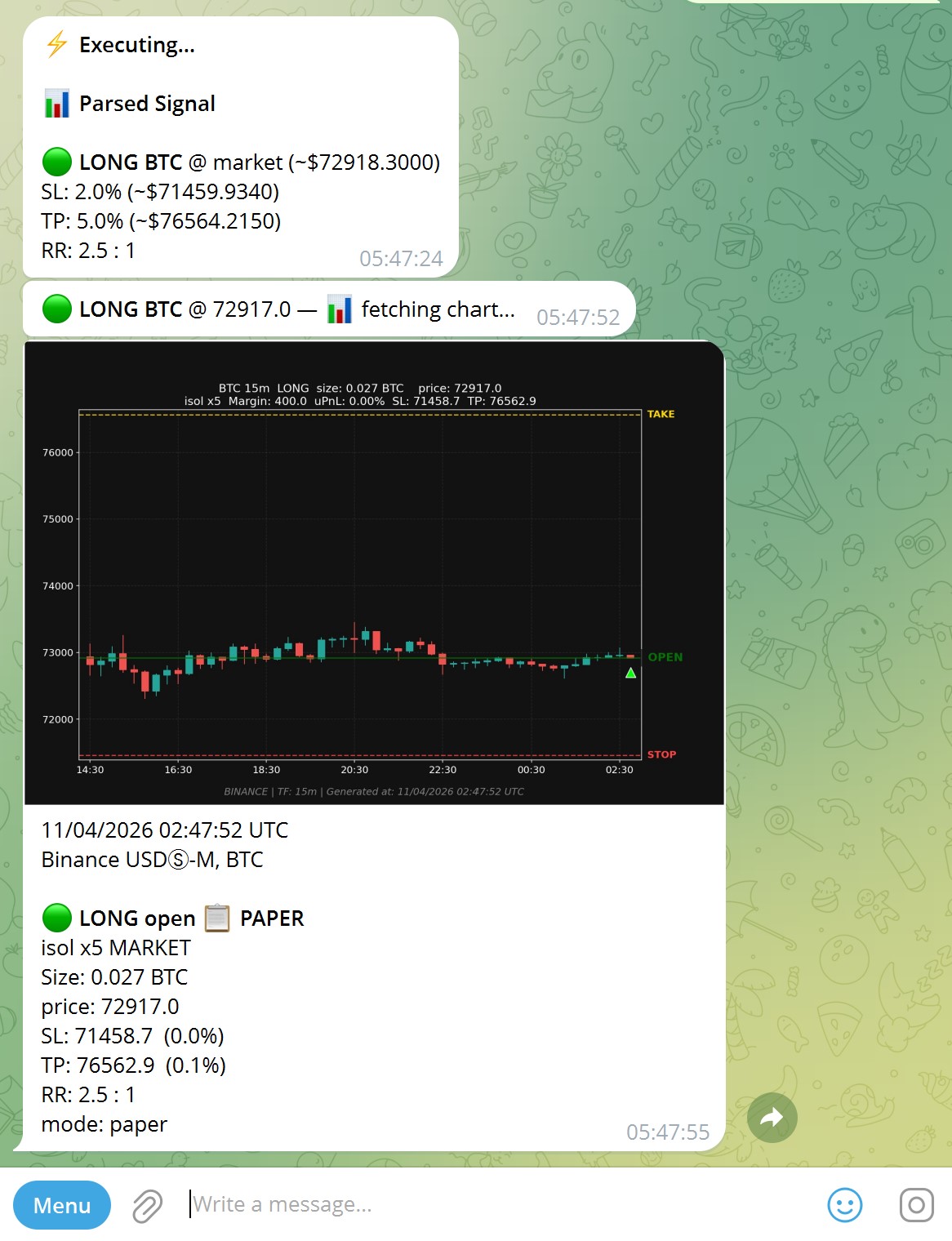
Type long btc (or with parameters: long btc sl 2% tp 5%). The agent parses it and shows you exactly what it understood — price, SL level, TP level, risk/reward ratio.
No position size math. No typos on the exchange. The agent calculates margin and leverage from your risk settings automatically.
Hit Execute and a chart notification arrives in seconds — showing the opened position on a candlestick chart with entry, stop, and target marked.
Position confirmed — real-time in Telegram
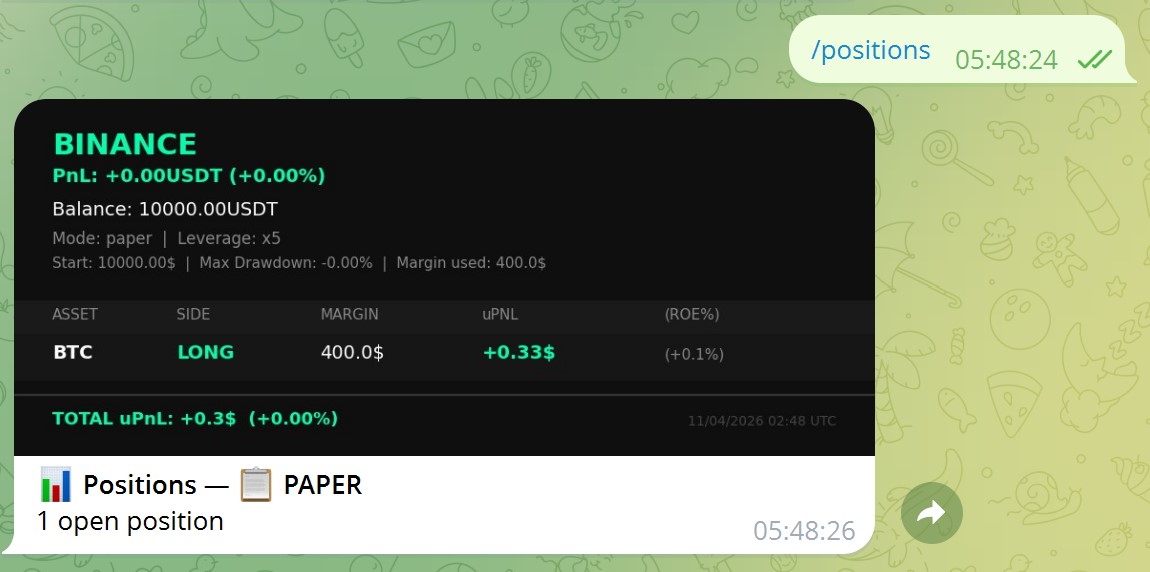
Run /positions immediately after — the position shows up with exact margin used and live unrealized P&L updating in real time from the exchange.
Close a position — with estimated PnL preview
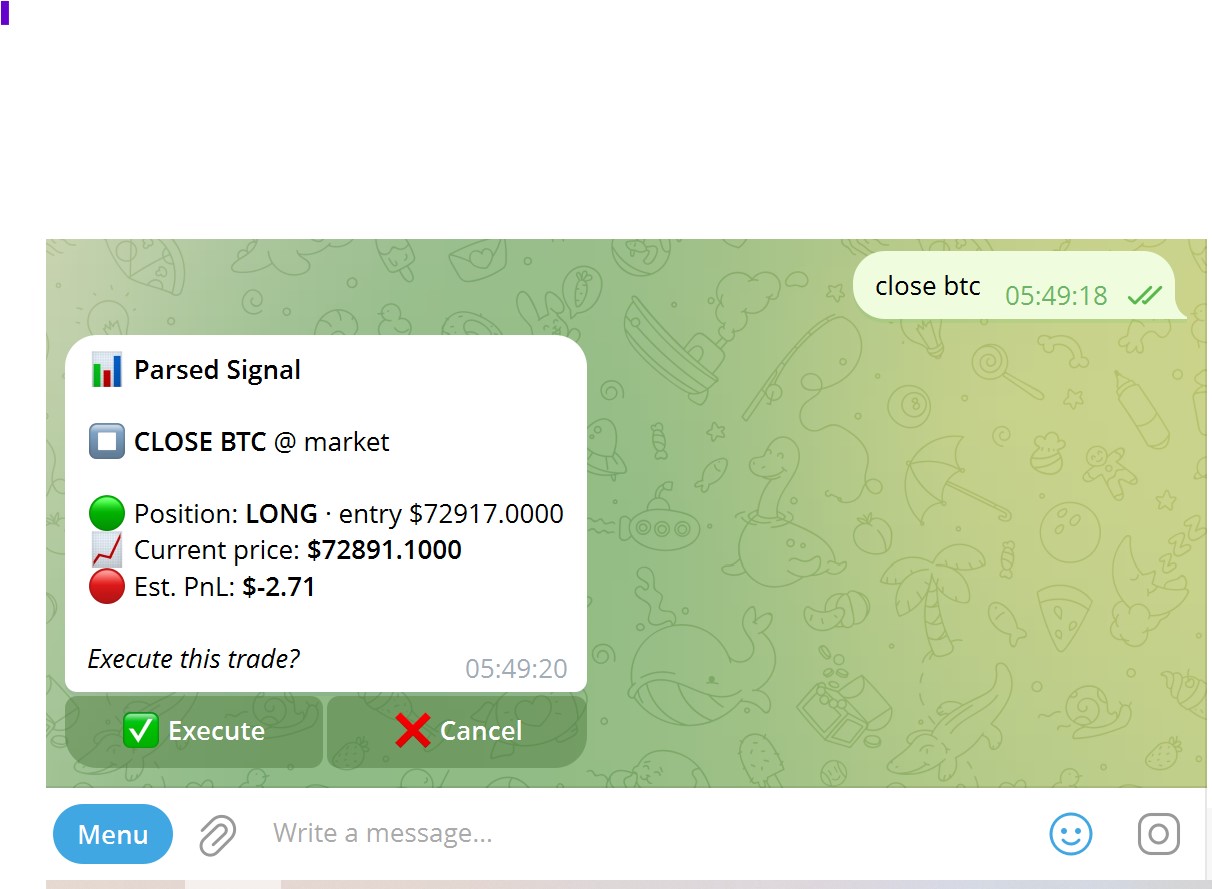
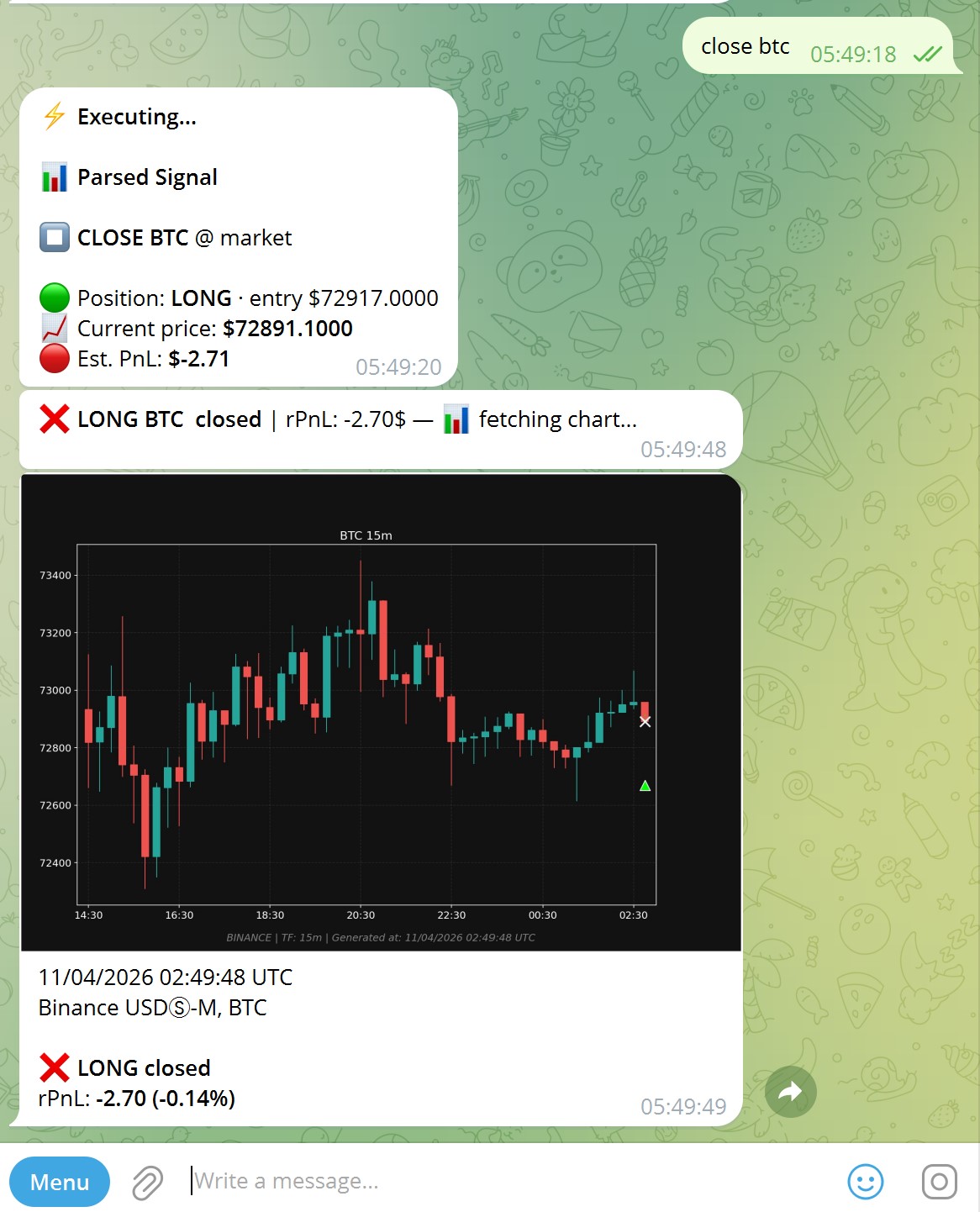
Type close btc. Before executing, the agent shows you the current price and estimated PnL — so you know exactly what you're closing at.
After execution: a closing chart notification with the final realized PnL is sent automatically.
Forward a signal from any channel
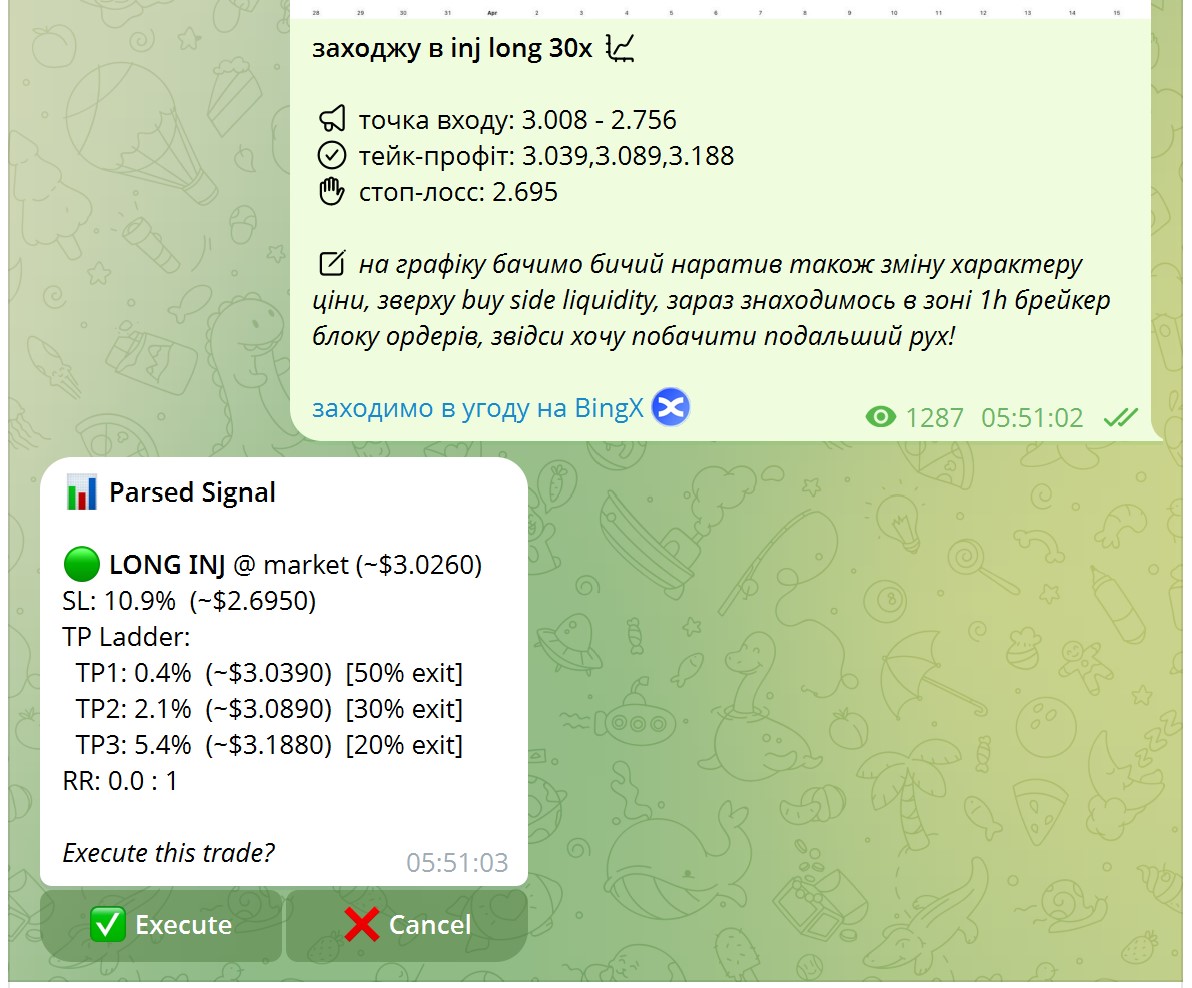
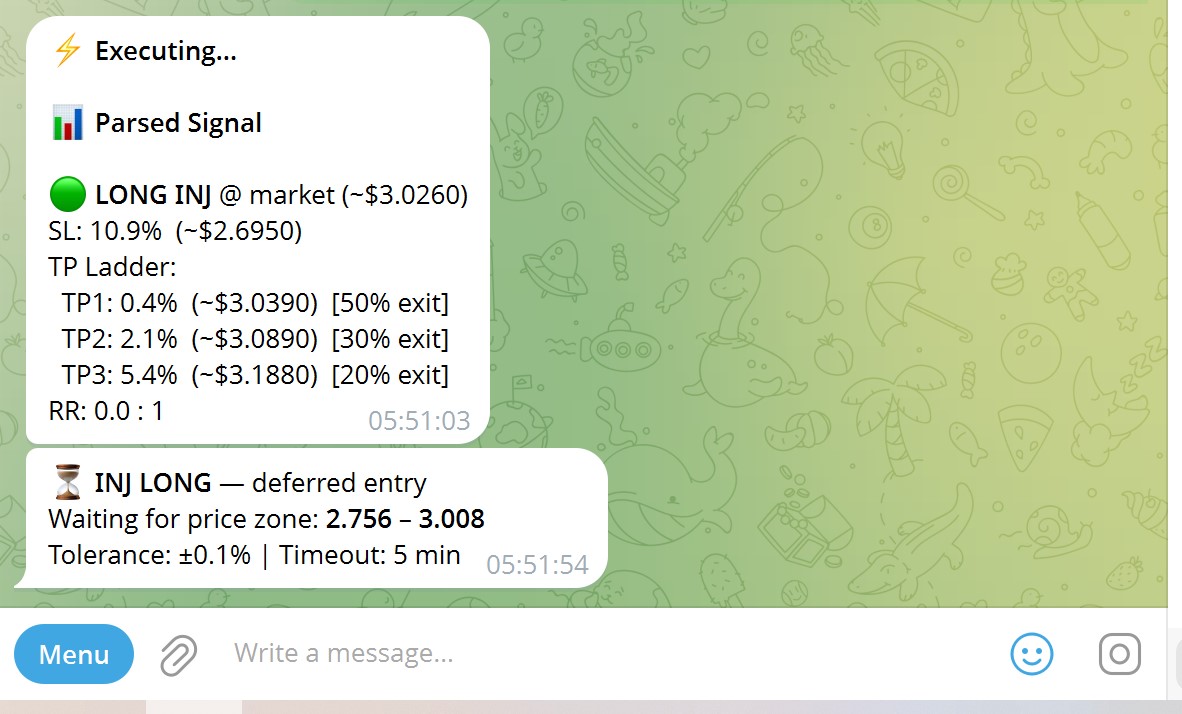
Forward any message from any signal channel directly to your bot. The parser extracts ticker, direction, entry zone, SL, and TP — even from free-form analyst text in any language.
Complex signals with TP Ladders (multiple take-profit levels at different exit sizes) are parsed correctly. A deferred entry waits for the price zone — it won't fire at a bad price.
/pending — see what's waiting
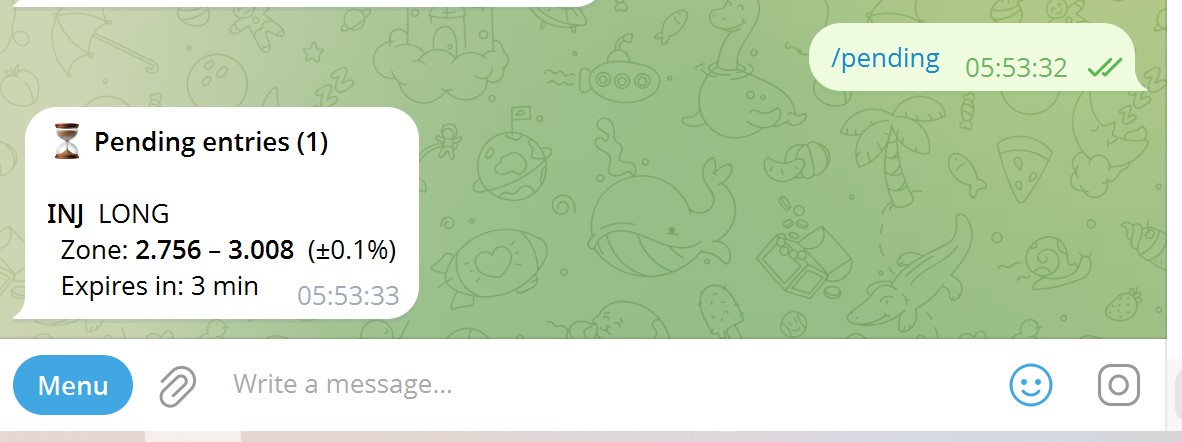
Deferred entries are tracked separately. /pending shows all waiting orders with their price zone, tolerance, and time remaining before expiry.
/autoconfirm — fire signals instantly
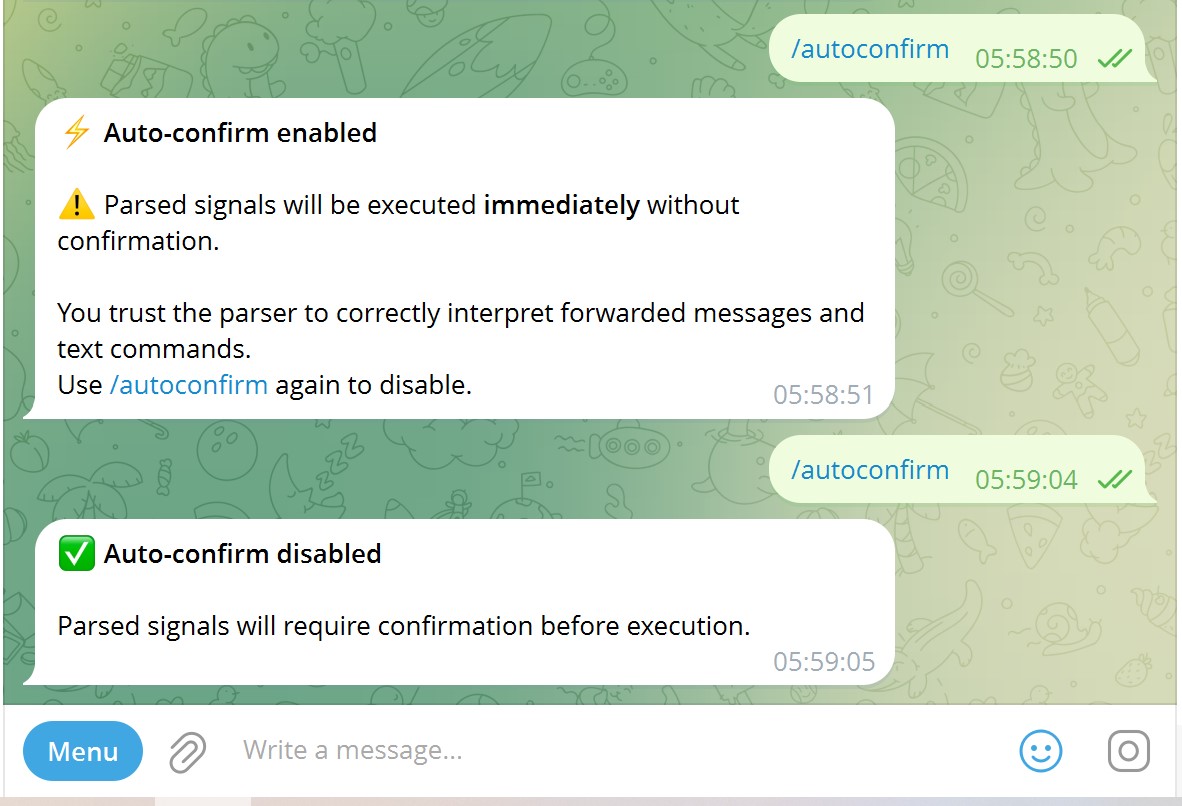
Toggle /autoconfirm to skip the confirmation step — the agent executes parsed signals immediately without asking. Toggle again to go back to manual confirmation.
- Useful when you trust your signal source and need speed
- Works for both text commands and forwarded messages
- One command to switch modes — no settings page needed
Chart with open position — full context at a glance
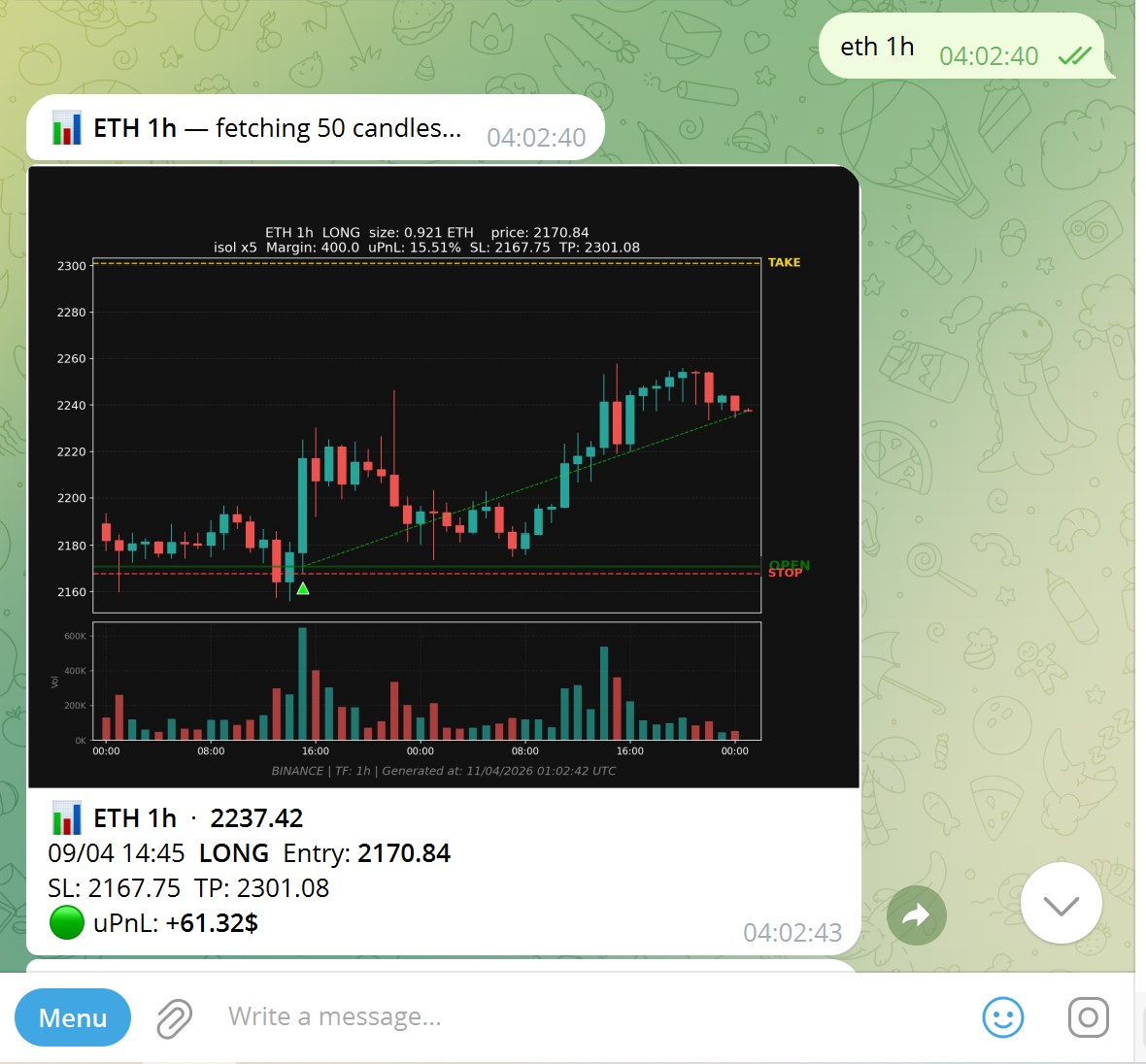
Type eth 1h while holding a position — the chart shows entry price, stop-loss, take-profit, and current unrealized P&L right on the candlestick chart.
You see the full picture in one image: where you entered, where your risk is, where you're targeting — without opening the exchange.
btc ai — AI market analysis, one tap to execute
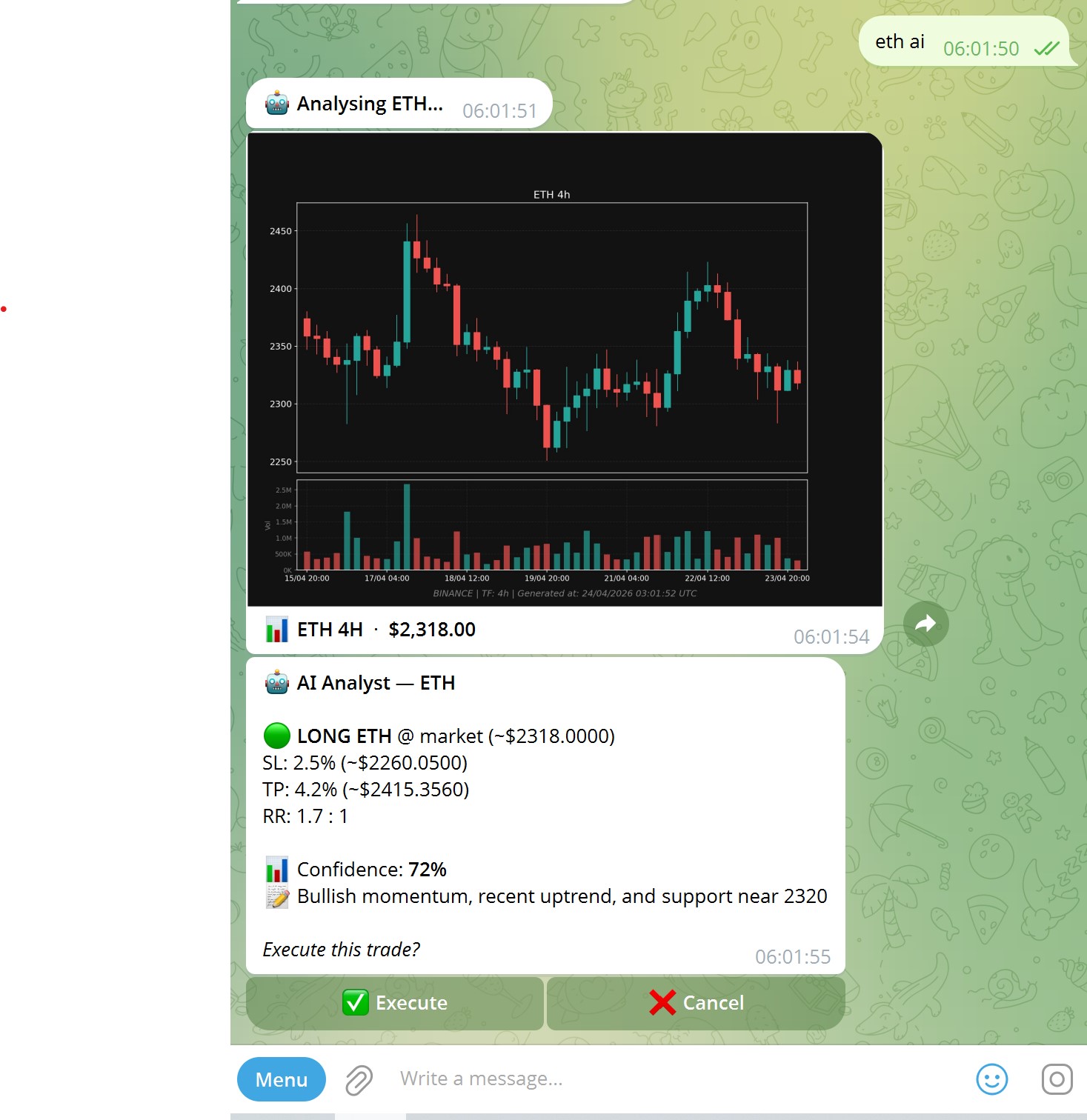
Type btc ai and the agent sends the current BTC price to Groq (Llama 3.3 70B), which returns a full trade setup: direction, entry, SL, TP, risk/reward ratio, and a confidence score.
- Works for any coin:
eth ai,sol ai,bnb ai - Tap Execute to open the position instantly, or Cancel to skip
- Requires a free Groq API key — configure in the AI Models tab of the GUI
AI analysis is advisory, not automatic — you always confirm before anything executes.
Ready to set it up?
The agent runs on your own server — your keys, your data, your control. Takes about 15 minutes from zero to live.
Setup Guide — Step by Step