The Agent That Trades
While You Sleep
AI Helper mode turns your agent into a fully autonomous trader. It watches your symbols, analyses every new candle, and fires LONG/SHORT/CLOSE signals — with or without your confirmation. Free to run with Groq API.
AI Helper doesn't get distracted. It watches the chart so you don't have to.
One-shot analysis vs. autonomous watching
There are two ways to use AI in the agent — worth understanding the difference before you start.
One-shot analysis (Telegram mode) — you type BTC ai and get a single recommendation right now: direction, SL, TP, confidence score, reasoning. You review it and decide.
AI Helper mode — you add symbols to a watch list, and the agent polls for new candles every 30 seconds. Every time a new candle closes on the low timeframe, it fetches two sets of candles (high TF + low TF) and sends them to the LLM for analysis. The result is either executed automatically or sent to you as a confirmation request.
AI Helper is a separate signal source — like switching from Telegram signals to Quantilan Server, but the "server" is your own LLM running continuously on your watch list.
Configure the AI model — takes 2 minutes
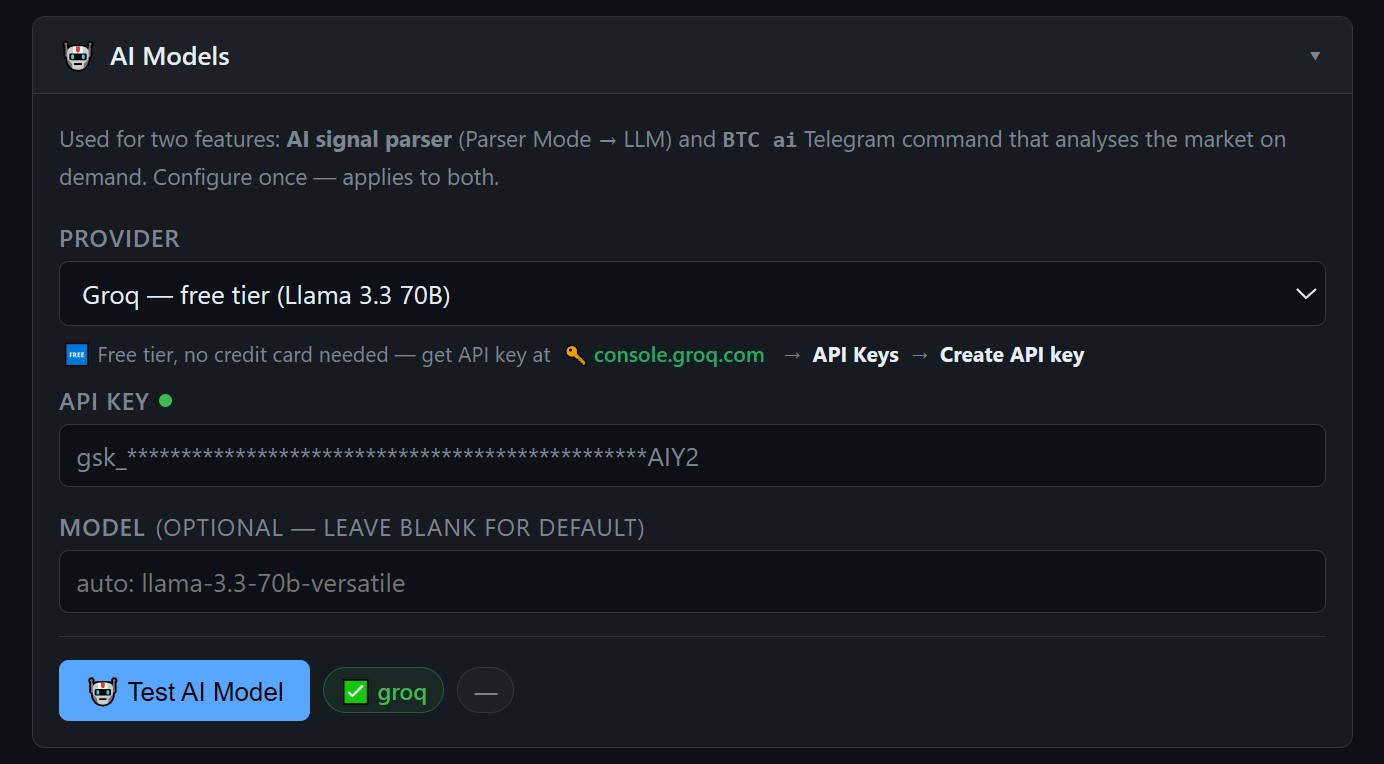
Open the Setup GUI and find the AI Models card. Three things to fill in:
- Provider — Groq (free, fast) or Claude (Anthropic, paid)
- API key — from console.groq.com or console.anthropic.com
- Model — for Groq:
llama-3.3-70b-versatileis recommended
Click Test Connection — the GUI sends a 5-token ping and shows a green checkmark if everything is working. No need to restart the agent for this test.
Groq's free tier is more than enough for AI Helper — even watching 5 symbols on a 15-minute timeframe costs well under the daily limit.
Switch signal source to AI Helper
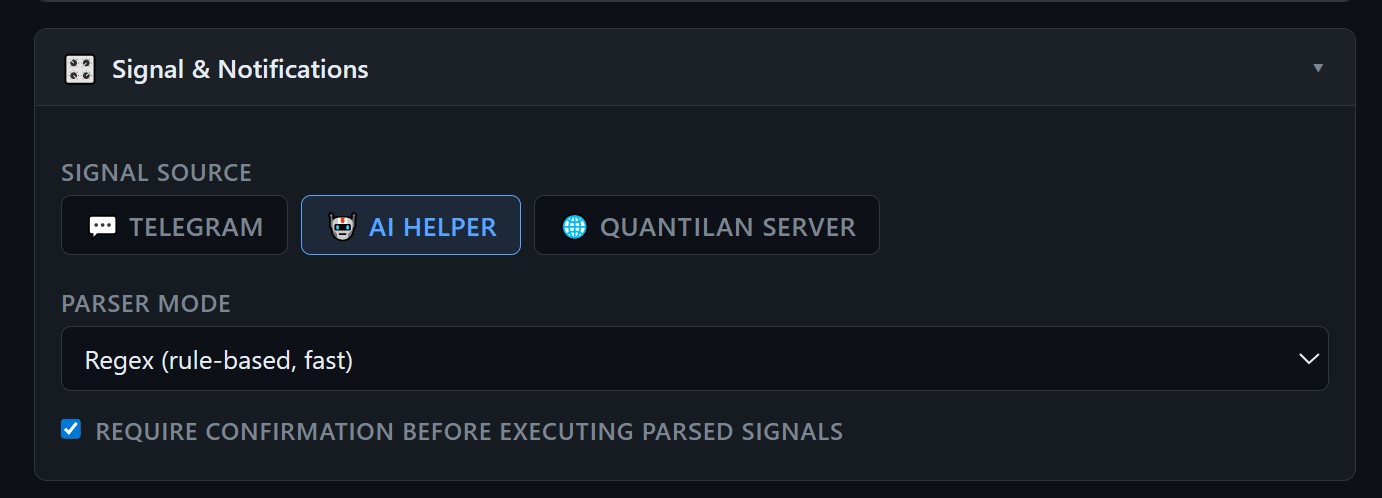
In the Signal Source section of the GUI, select AI Helper. Save and restart the agent.
You can also switch live from Telegram with the /source command — the agent will ask for confirmation if you have open positions.
After restart, /start will show AI HELPER as the signal source along with your current watch list.
Pick your analysis preset
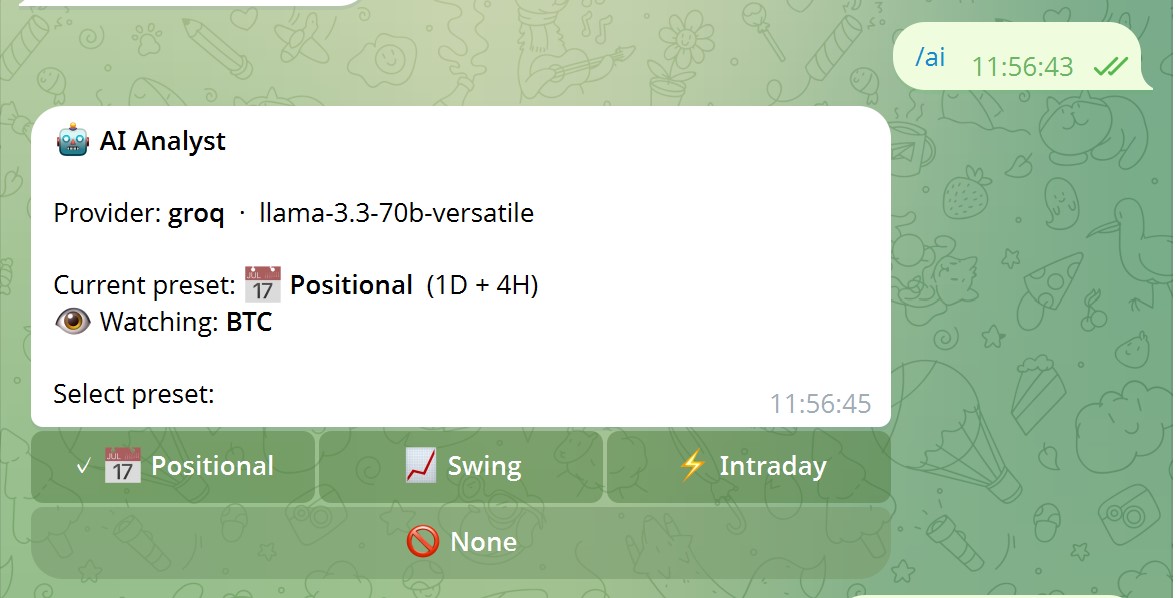
Type /ai to open the preset selector. The preset controls which timeframes the AI analyses and how it interprets the market.
| Preset | High TF | Low TF | Best for |
|---|---|---|---|
| Positional | 1W | 1D | Multi-day holds, macro trend following |
| Swing | 1D | 4H | 2–5 day swings, key structure levels |
| Intraday | 4H | 15M | Same-day trades, momentum setups |
The low TF is the trigger — a new candle on that timeframe kicks off the analysis. A new 15-minute candle fires every 15 minutes; a new daily candle fires once a day.
Tap 🚫 None to pause AI analysis without touching your open positions — they stay protected by stop-loss and take-profit orders as usual.
Add a symbol to the watch list
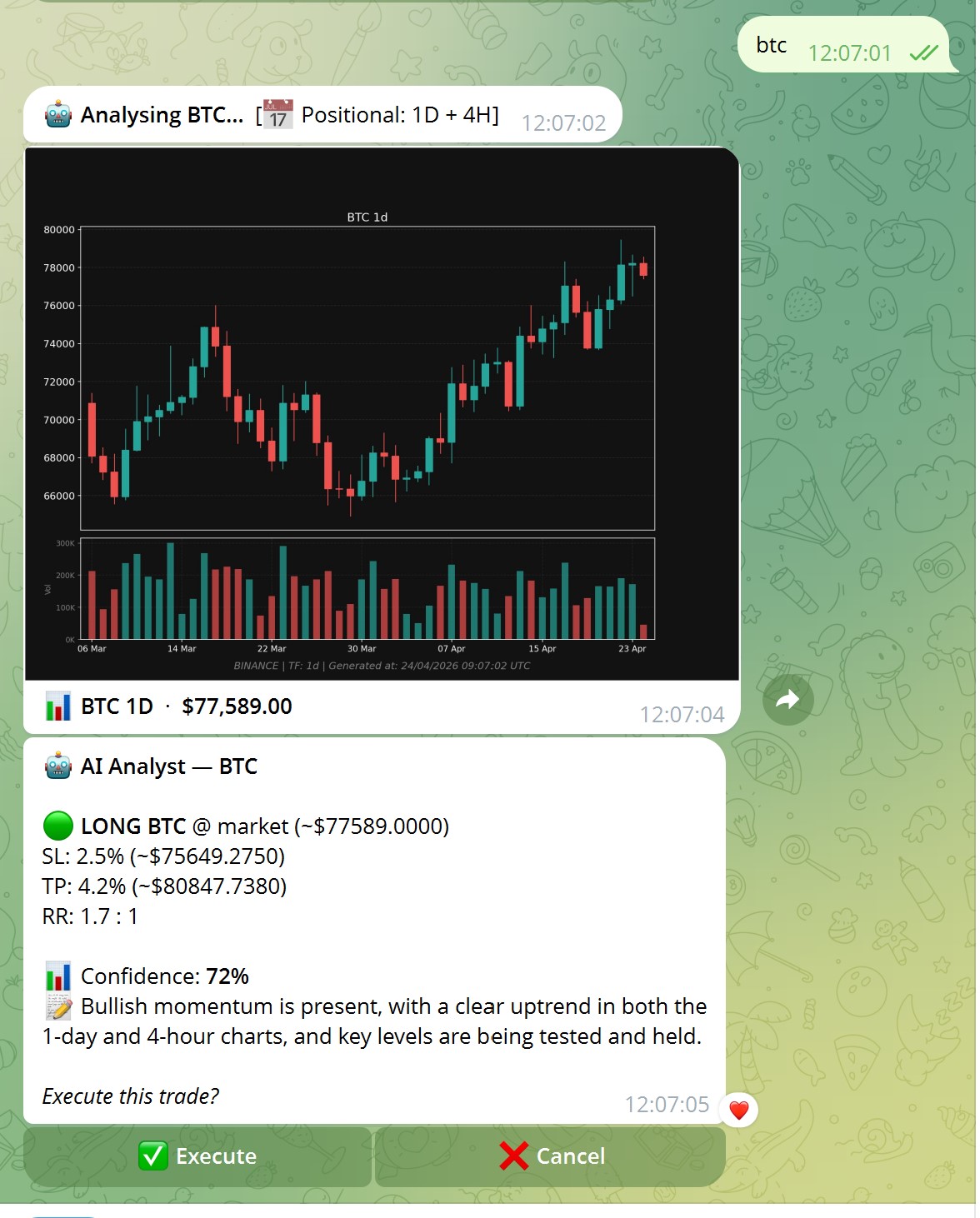

Two ways to add a symbol:
BTC |
Run analysis right now. If BTC is not in the watch list, the agent suggests adding it at the end. |
BTC ai |
Add to watch list immediately and run analysis. No extra prompt. |
BTC stop |
Remove from watch list (asks for confirmation first). |
The watch list is limited to your max positions setting — you can't watch more symbols than you can hold positions for. If the list is full, the agent will say so and ask you to remove something first.
The watch list persists across restarts — once configured, it survives agent restarts and server reboots without any manual action.
Autonomous signals — with or without confirmation
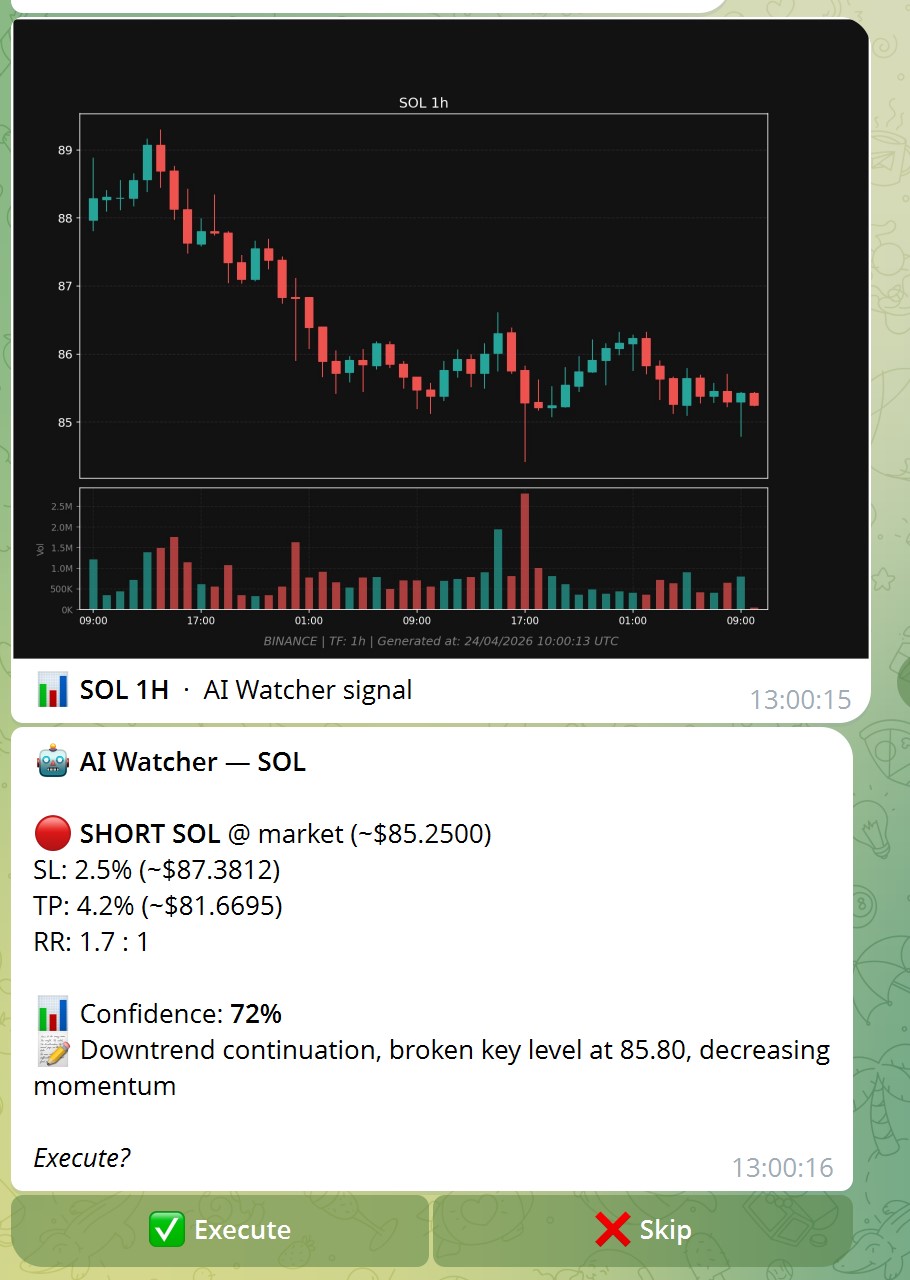
When the AI sees a tradeable setup, it sends a signal with direction, SL, TP, confidence percentage, and its reasoning in plain text.
What happens next depends on your /autoconfirm setting:
- Auto-confirm ON — signal is executed immediately, no tap required. You get a chart notification when the position opens.
- Auto-confirm OFF — you get an Execute / Cancel confirmation message. Tap Execute to open the trade.
Start with auto-confirm OFF while you're getting familiar with the AI's style. Switch to ON once you've seen a few signals and trust the setup quality.
The agent also handles exits: if a position is open and the AI recommends closing or adjusting the stop-loss, the same confirmation flow applies.
Position cards show the full picture
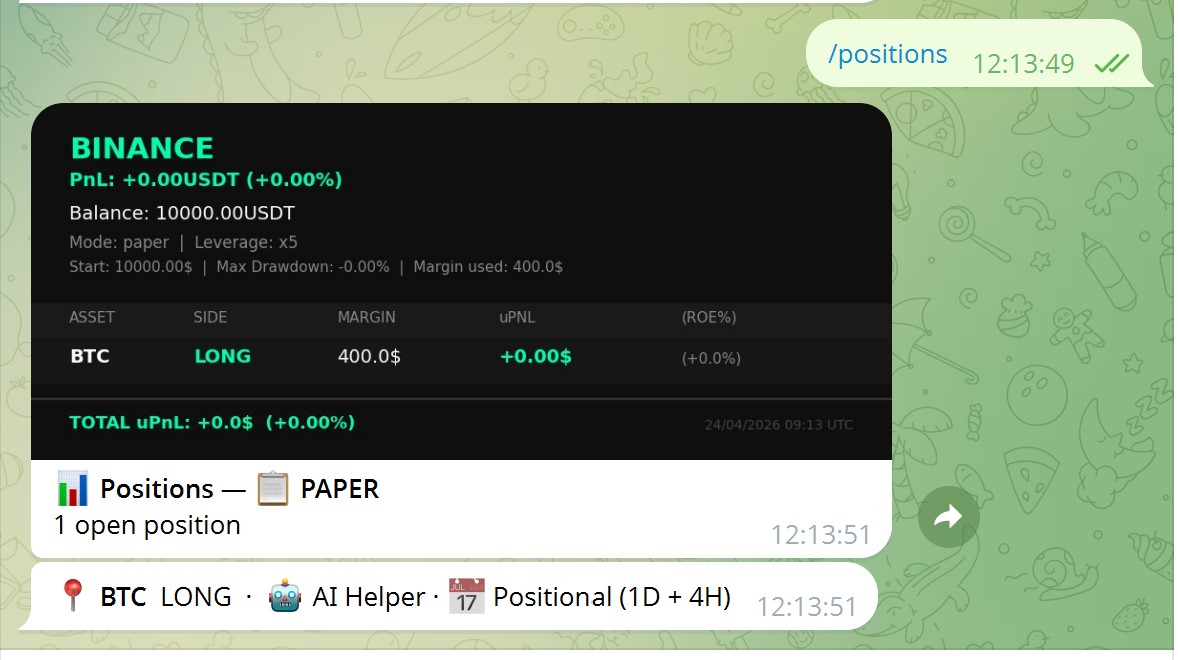
Run /positions — each position shows not just P&L and SL/TP, but how it was opened: the signal source and the AI preset used.
🤖 AI Helper · Intraday— opened by the AI watcher on the Intraday preset📡 Quantilan— opened by a server signal💬 Telegram— opened from a manual command or forwarded message
The same badge appears on the chart when you type a ticker — so you always know the context of any open trade at a glance.
Remove a symbol from watching
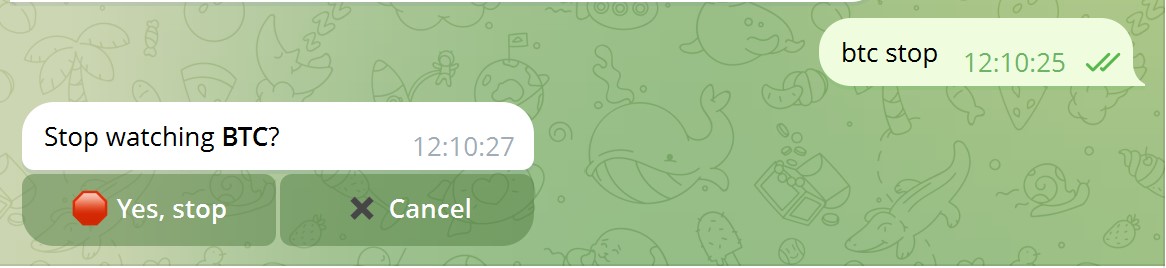
Type BTC stop to remove a symbol from the watch list. The agent asks for confirmation before removing — so there are no accidental removals from a mistyped command.
Your open BTC position (if any) is not affected — it stays open under PositionMonitor protection with its stop-loss and take-profit intact. AI Helper just stops generating new signals for that symbol.
Quick reference
BTC |
AI analysis on demand + suggest adding to watch list |
BTC ai |
Add to watch list immediately + run analysis |
BTC stop |
Remove from watch list (with confirmation) |
/ai |
Preset selector — Positional / Swing / Intraday / None |
/source |
Switch between AI Helper / Telegram / Quantilan Server |
/autoconfirm |
Toggle auto-execute for AI signals |
/positions |
Portfolio with source + preset badges per position |
Ready to let the AI watch the market?
Set up AI Helper in 5 minutes — free with Groq API, no credit card required.
Get Started on GitHub