Try the agent in 3 steps
Windows, Mac, or Linux. On your own computer — no VPS required for this demo. Paper mode: no exchange API keys. Browser + Telegram.
In 5–10 minutes you will:
- start the agent on your computer
- open your first trade in paper mode
- see position, PnL and risk in Telegram
Paper mode = no real money, safe testing.
1 Download & install
Get the agent from the Quantilan trading-agent repository on GitLab and run the setup GUI (see the full deploy guide for every install option).
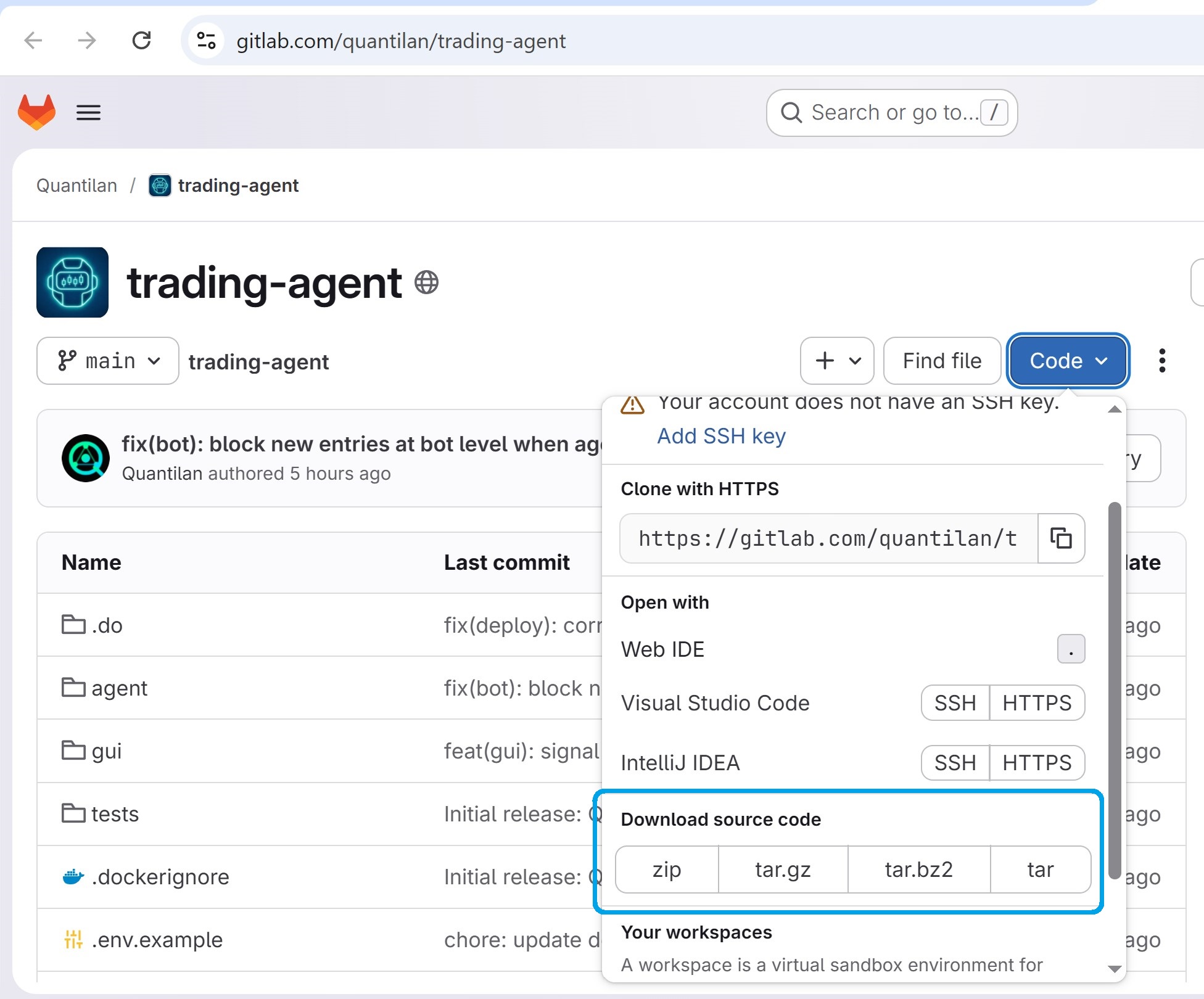
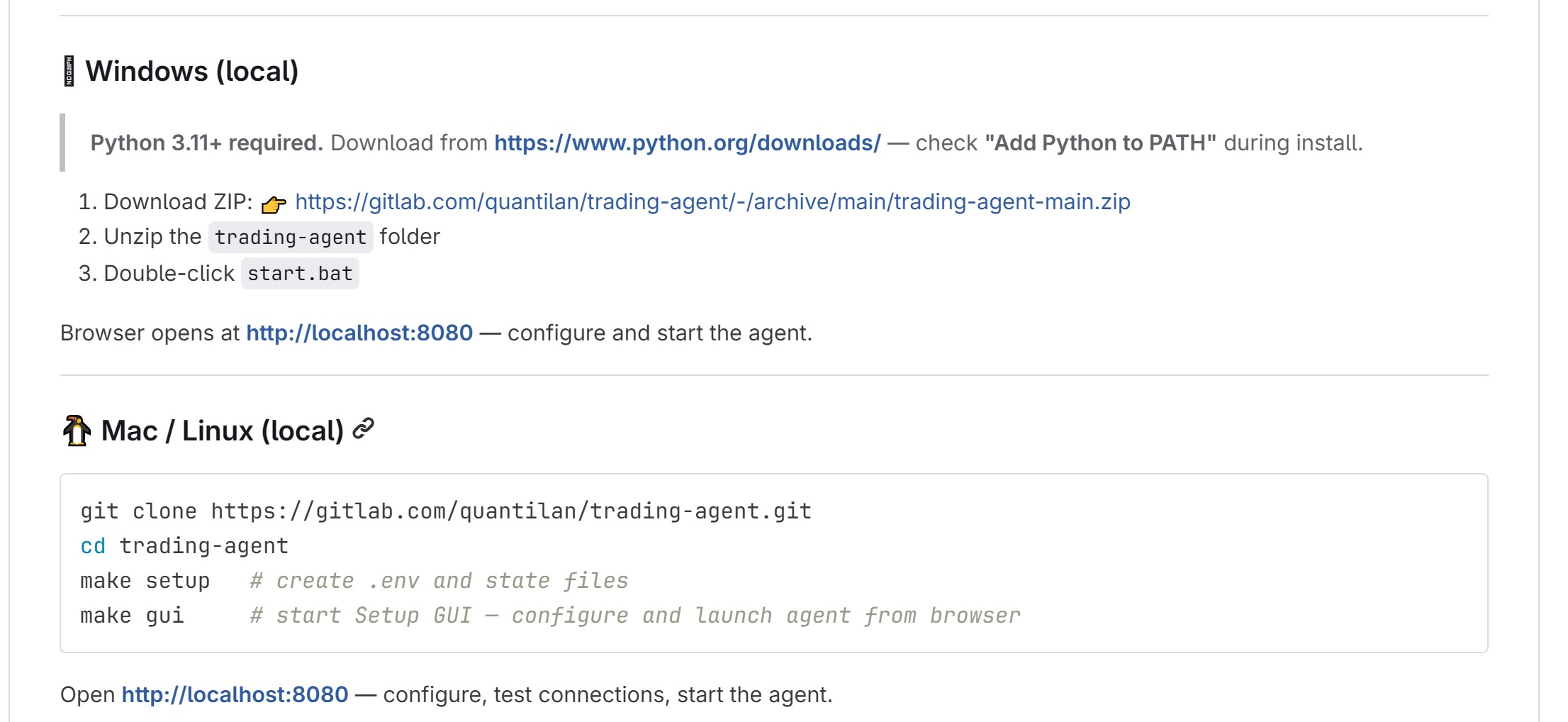
2 Core settings
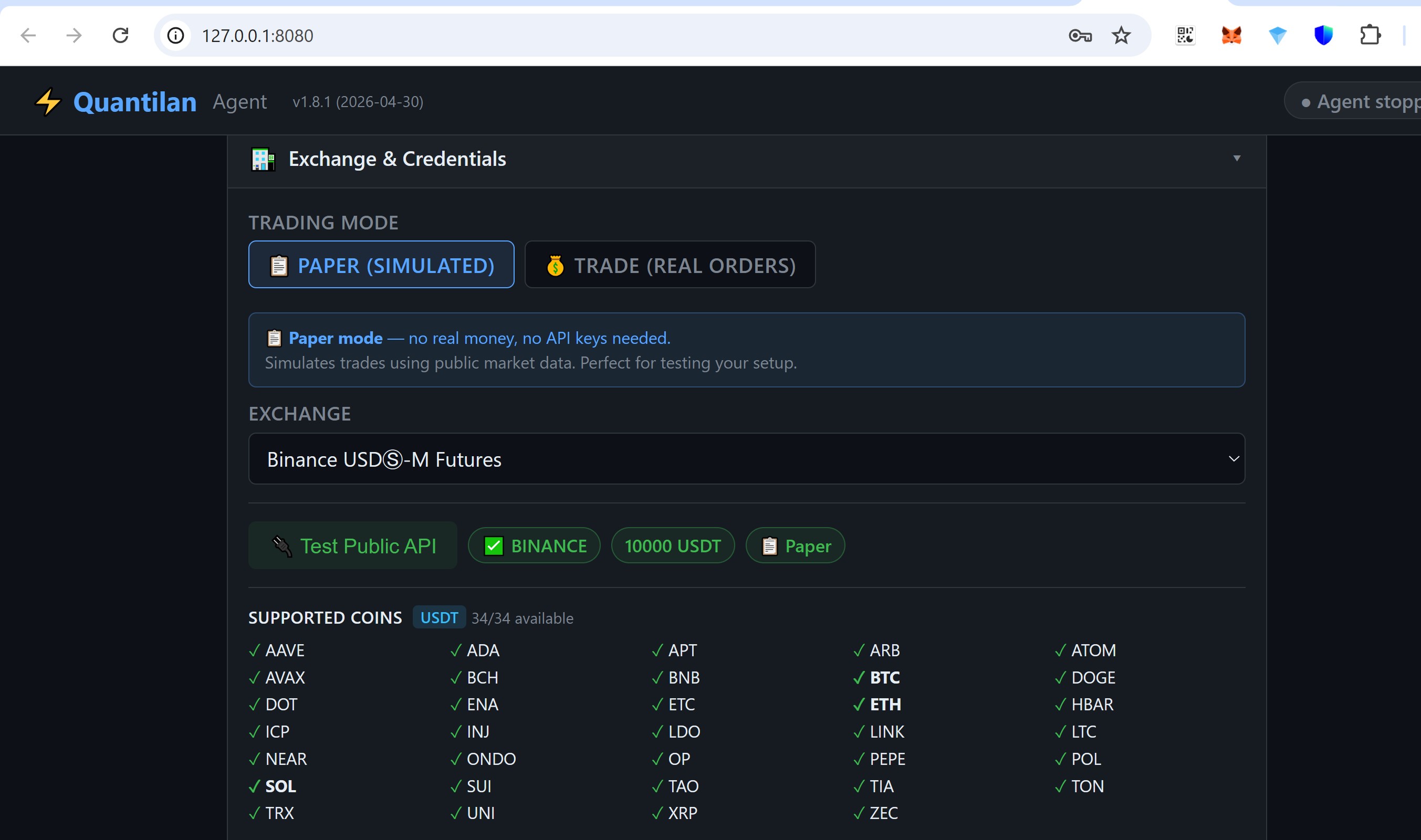
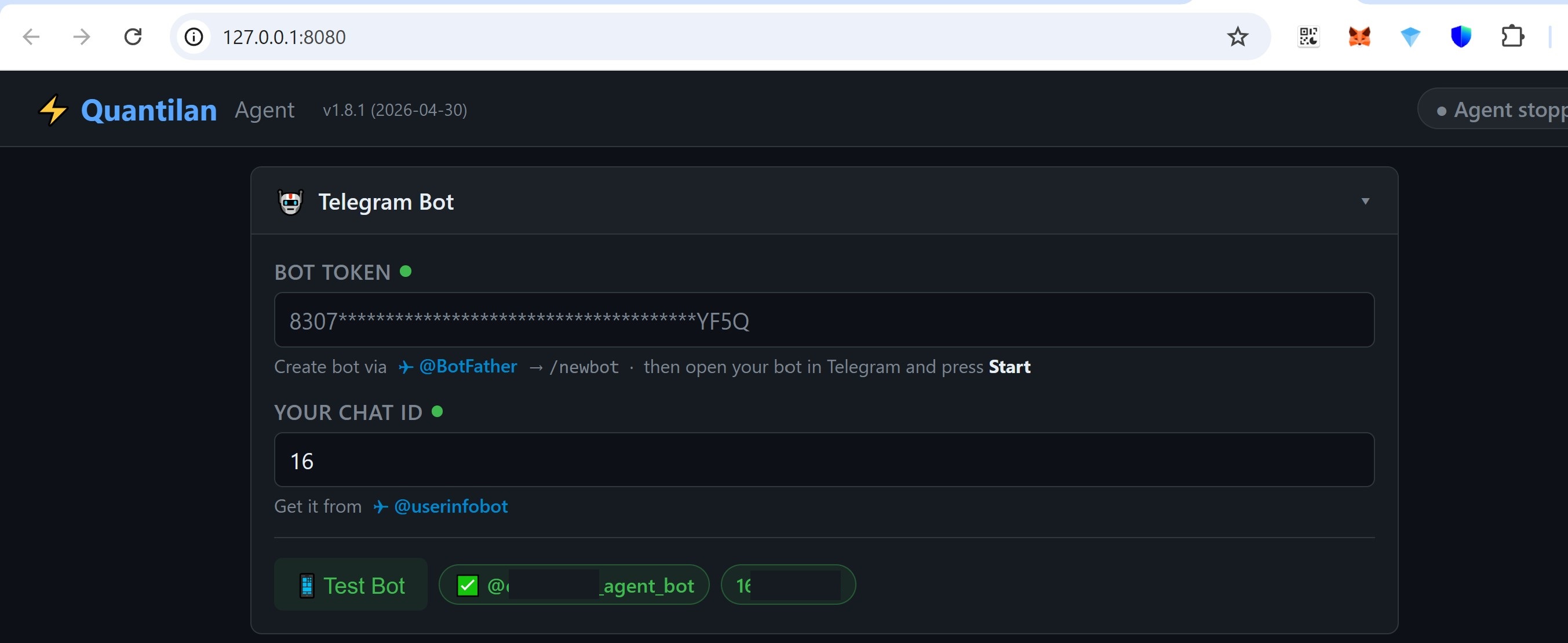
Work through each block in the Setup GUI. Each screenshot below shows a passed test (green checks) — yours should look the same before you continue. Hints and links sit under every field.
a Exchange
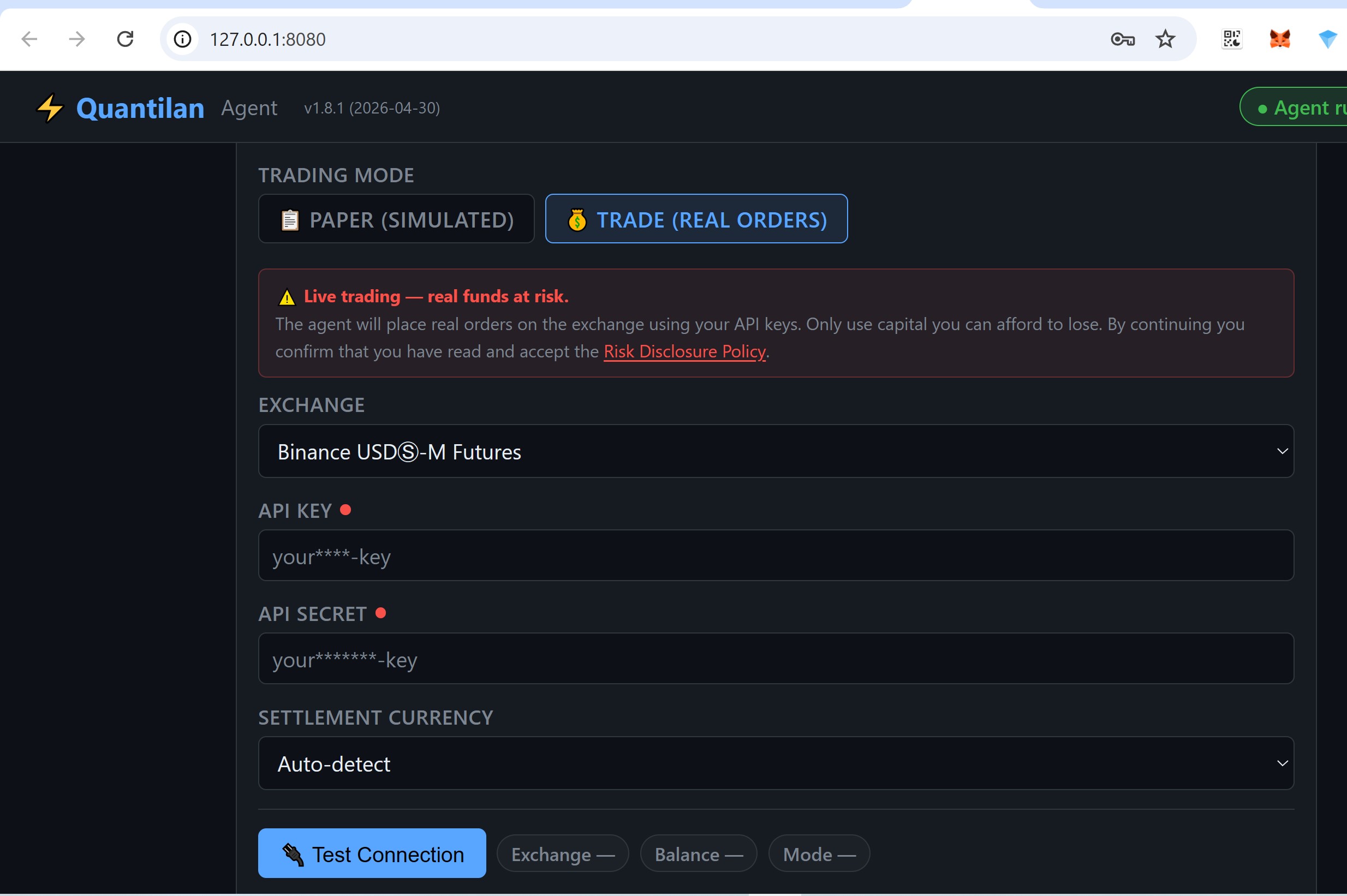
Pick your exchange, turn on Paper (simulated) mode, then press Test Public API and wait until the green checks show (exchange, balance, Paper).
b Telegram
Fill in bot token (from @BotFather) and chat ID (e.g. from @userinfobot). Open your bot in Telegram and tap Start, then press Test Bot until it passes.
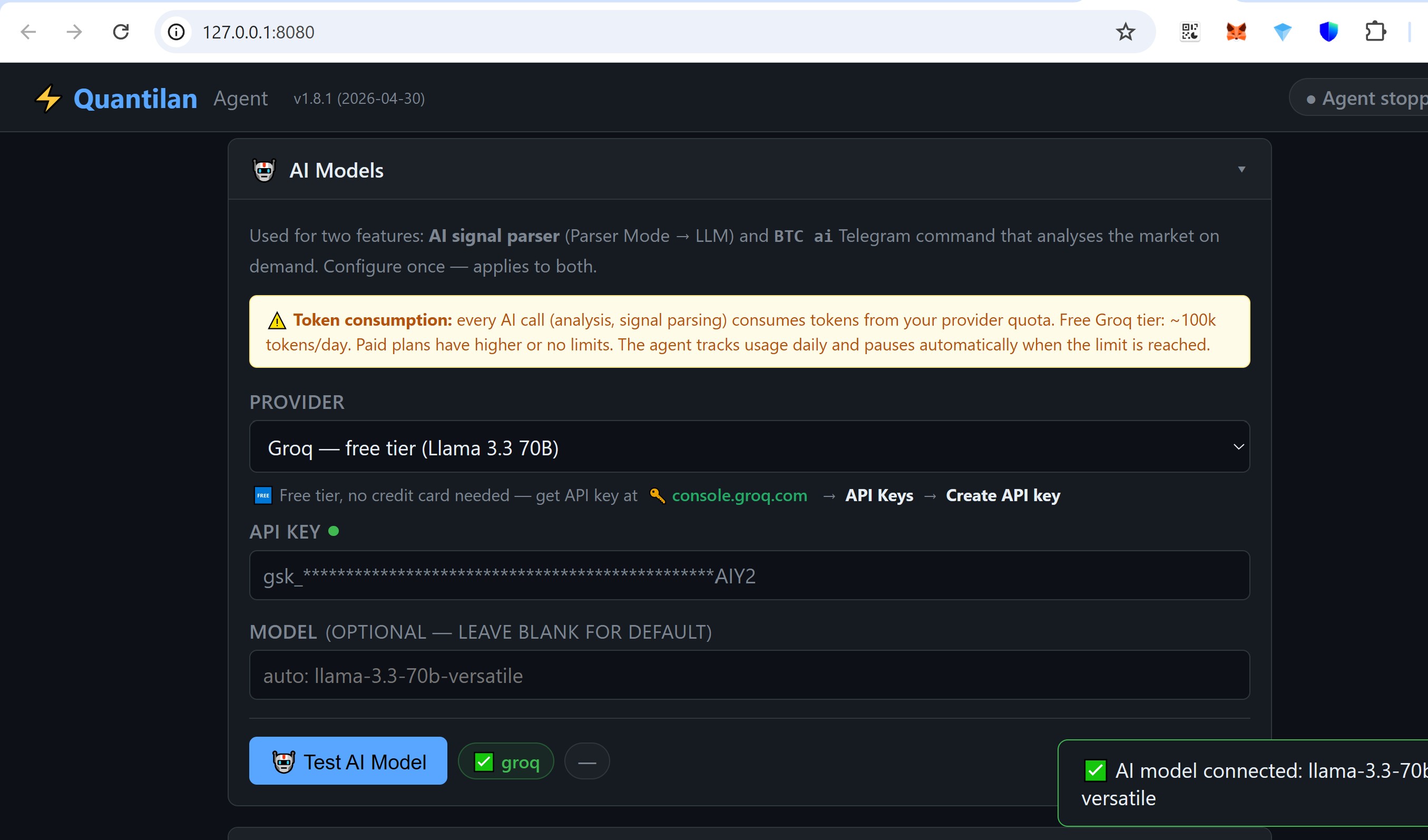
c AI model
Optional — paste your API key (e.g. free Groq from the link under the field), then press Test AI Model until it passes.
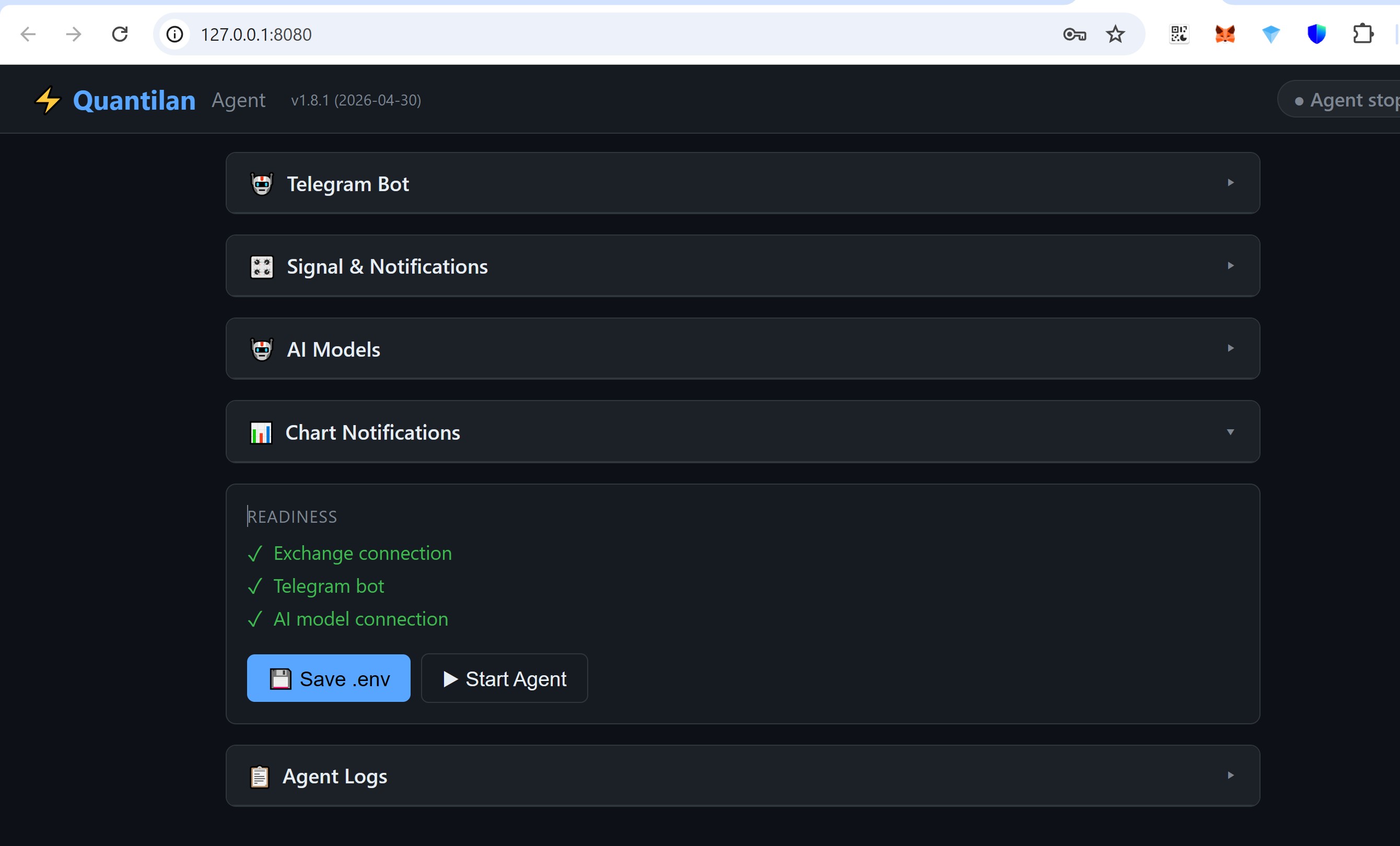
Start Agent
Once Readiness is all green, Save .env if the UI asks, then Start Agent — GO. Glance at the log for a clean startup; later you can Stop / Resume or Close Agent.
3 Telegram
Open the bot you set up in step 2. Below: your first Paper trade — chart > open a long > confirm > watch the position > close > see the result. Use the same bot the agent is bound to.
Agent running. Status message: exchange, Paper mode, balance, version — confirms the agent is up and talking to this chat.
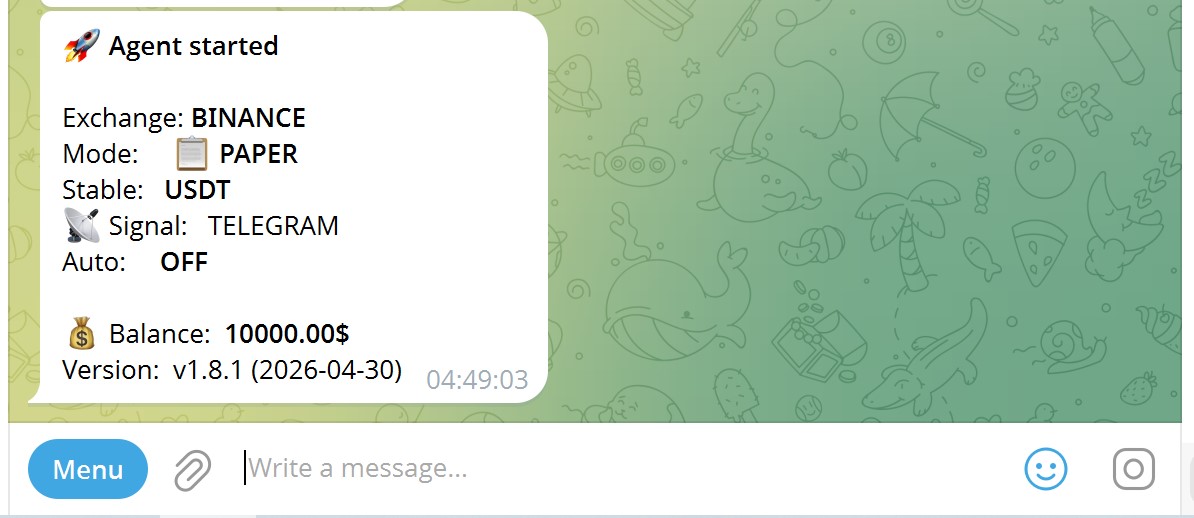
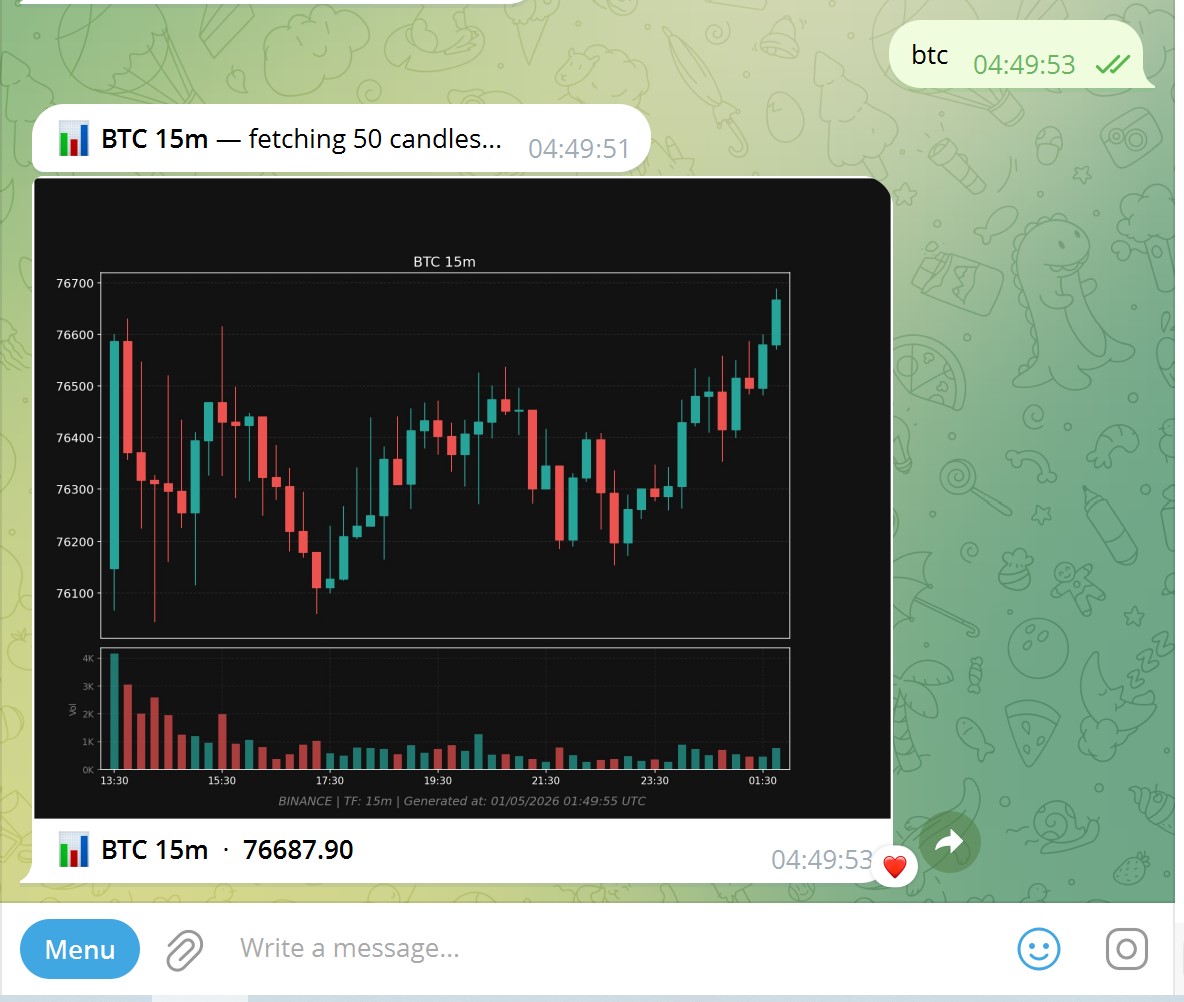
Chart. Send btc — the bot replies with a candlestick chart and the latest price.
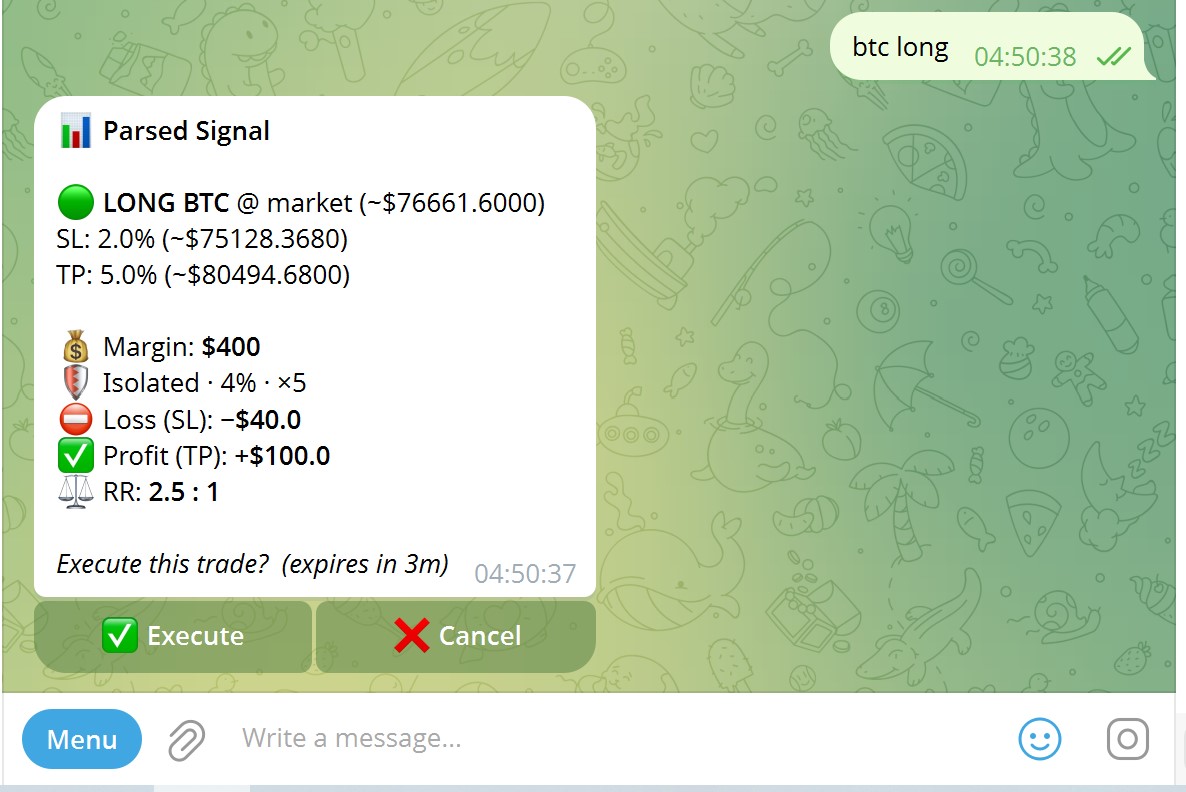
Open long. Send btc long — check the parsed signal (entry, SL, TP, margin). Tap Execute to place the Paper order or Cancel.
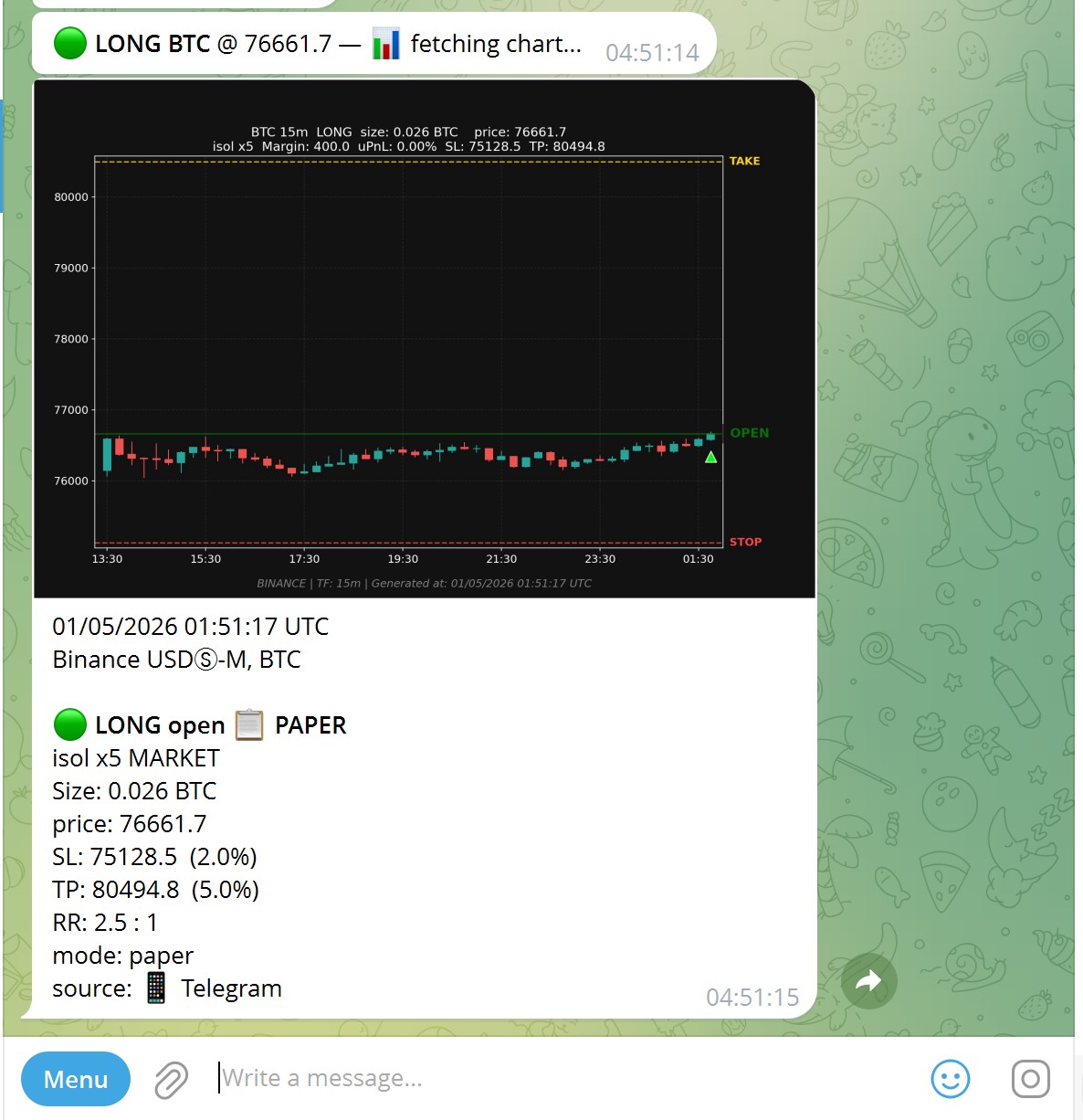
Position live. After execute — chart with entry, stop, take; text shows LONG open in Paper, size, prices.
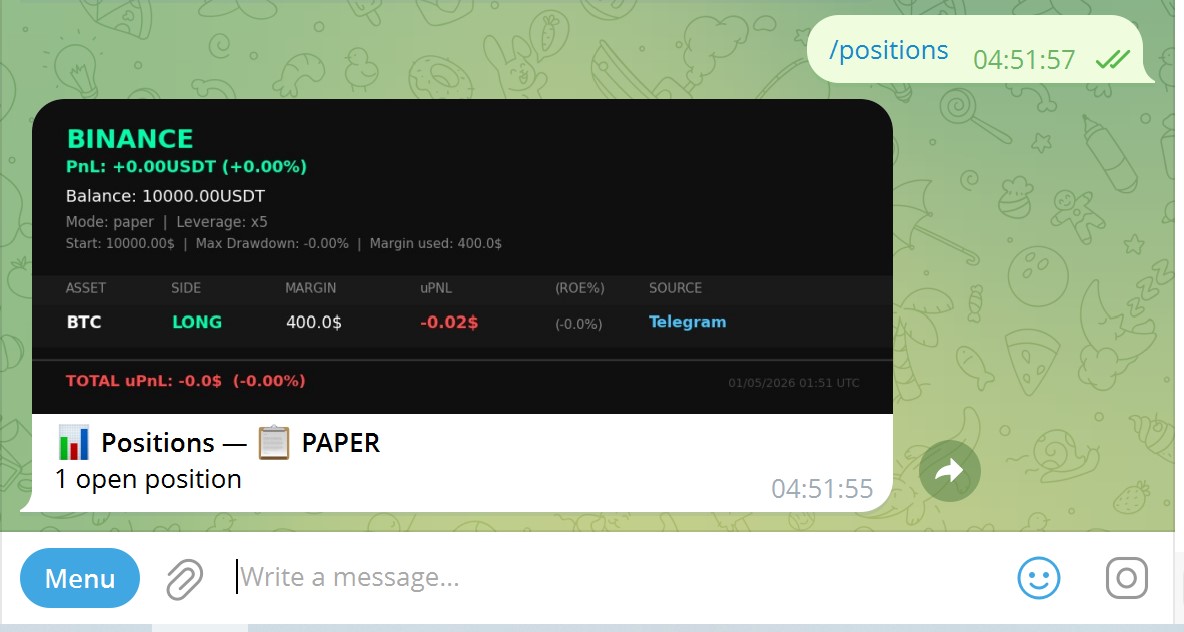
Portfolio view. Send /positions — table of open side, margin, unrealized PnL, source.
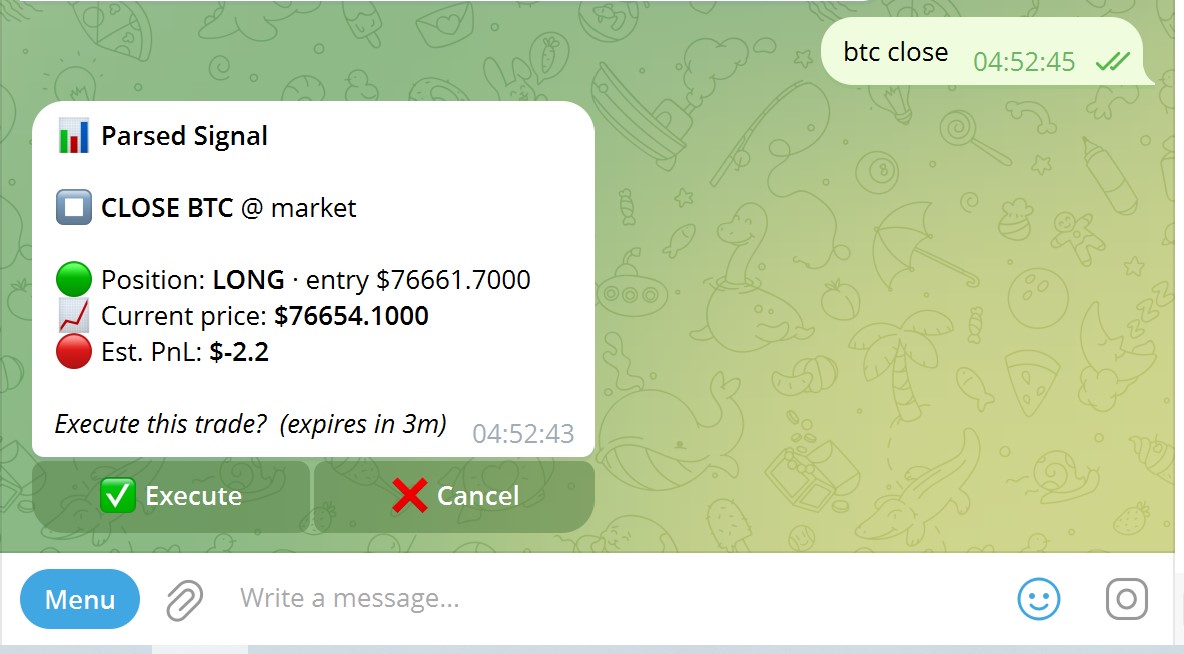
Close. Send btc close — review estimated PnL, then Execute to close at market.
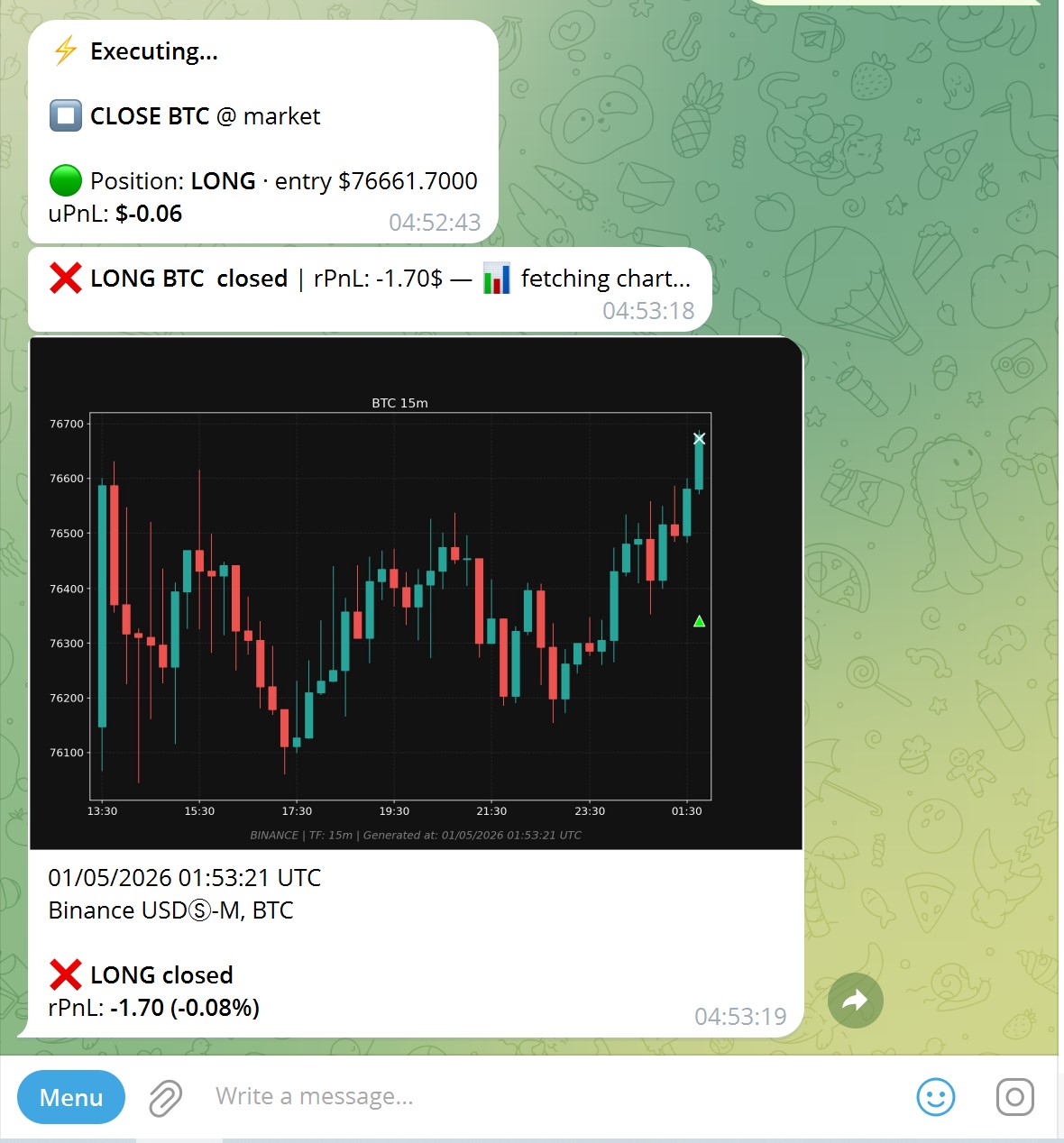
Done. After confirm — “LONG closed”, realized PnL, and a chart marking entry vs exit.
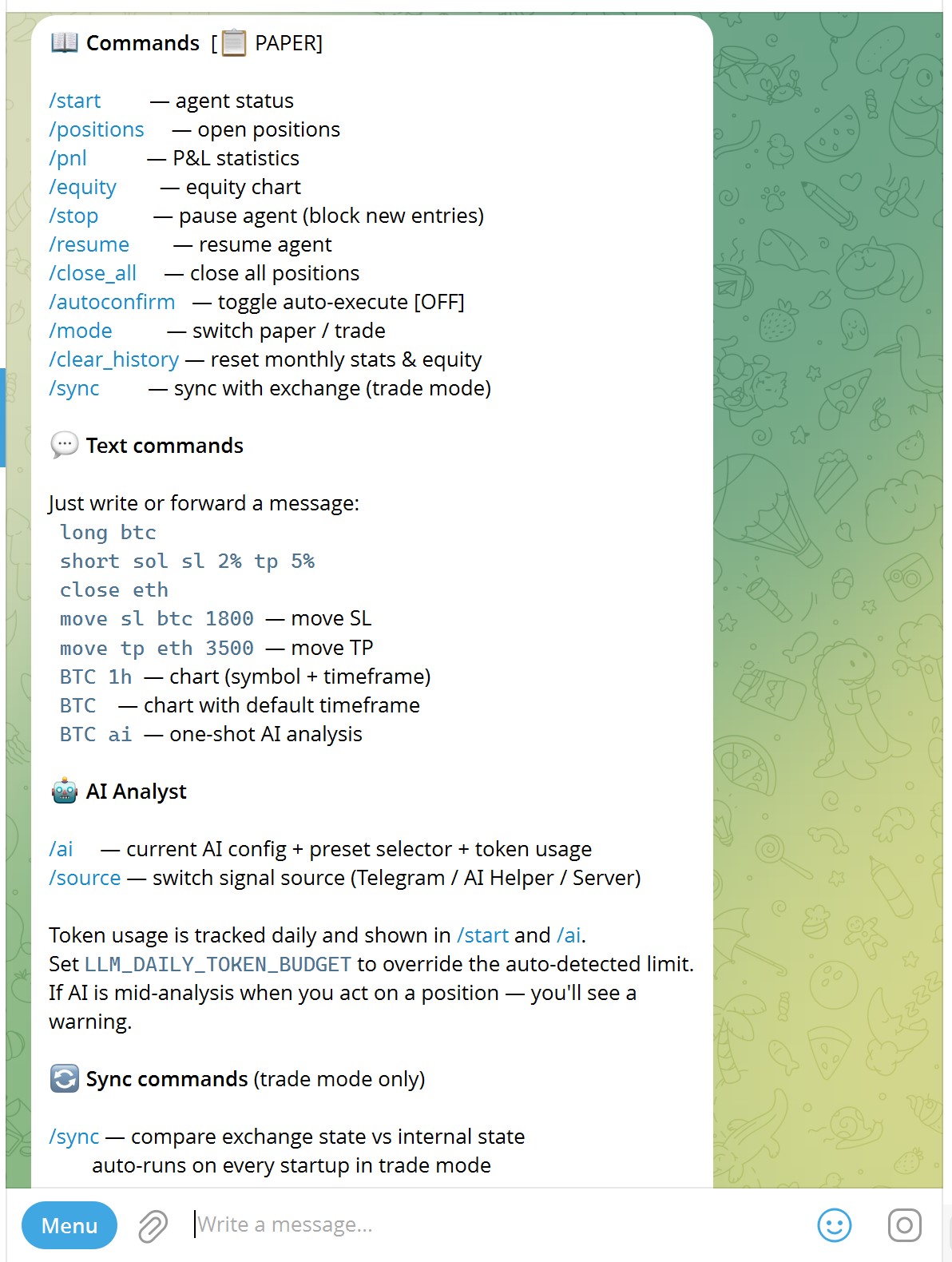
Cheatsheet. Send /help anytime — slash commands, text trades, charts, AI hints.
We provide the intelligence. You keep the control.It’s simple.
Quick fixes
Three green checks and a stable connection = a smooth first run.
If you get stuck, walk through it with Claude or message us on Telegram: @quantilan_support — we’ll help step by step.